

Figure out what moves they executed and write them in standard notation separated by underscores and wrapped in
brunner{}. Example: If the sequence was R B B U F’ F’ D’, the flag would bebrunner{R_B2_U_F2_D'}.
The challenge presented us with a packet capture, seemingly from a Bluetooth smart cube.
Upon initial inspection, we can see that in the packet, there are only a few distinct types of protocols, mostly HCI_CMD, HCI_EVT, HCI_MON, and ATT.
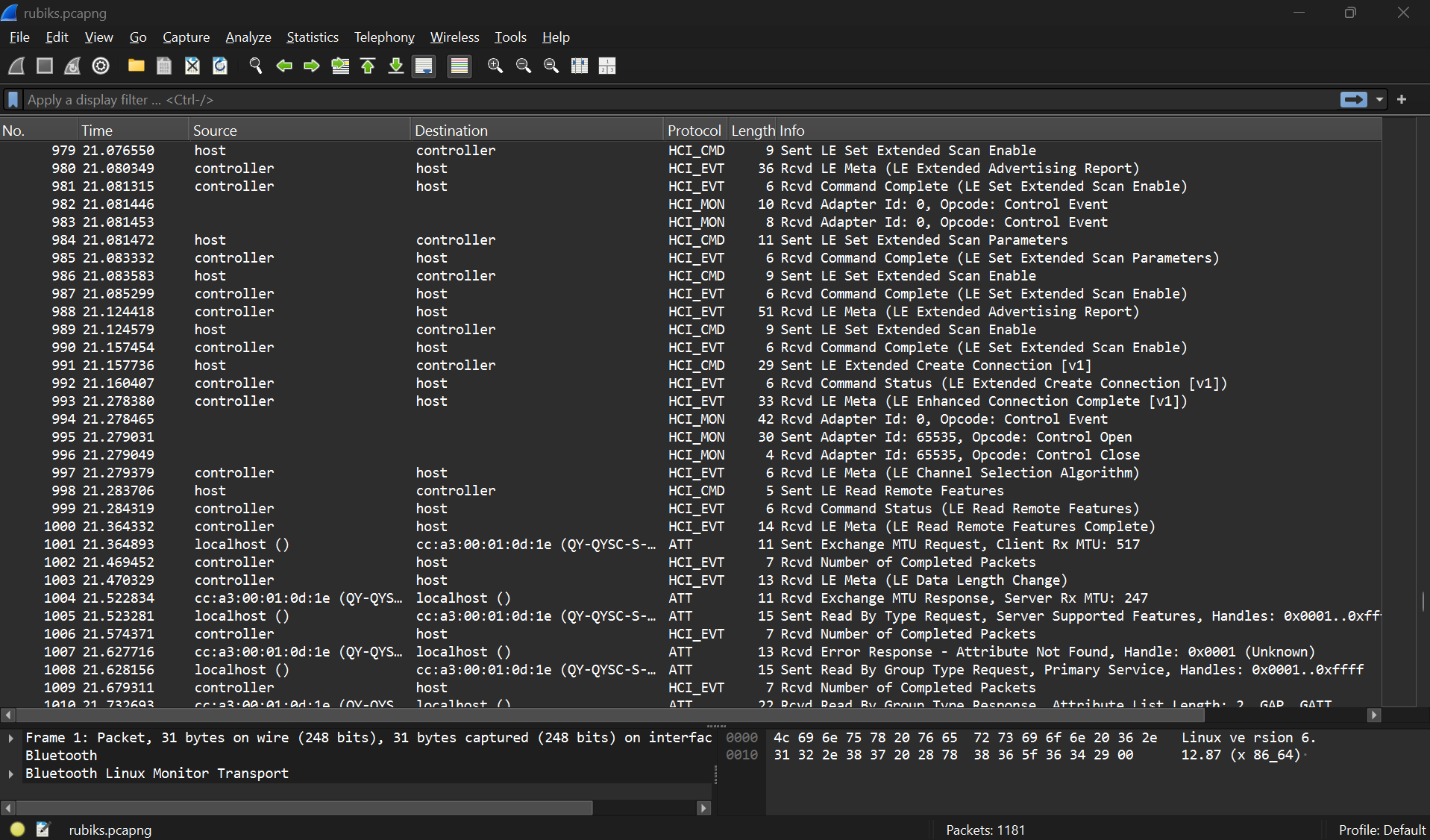
Let’s take a dive into some of the terminologies:
Note
HCIstands for (Bluetooth) Host Controller Interface. It is the way a computer’s Bluetooth software talks to its Bluetooth chip. The labels describe different roles in the same Bluetooth capture:
HCI_MON: Linux’s monitor wrapper, recording what type of Bluetooth activity follows.
HCI_CMD: Command (from the computer to adapter): the computer tells its Bluetooth adapter to do something.
HCI_EVT: Event (from the adapter to computer): the adapter reports a result or something it observed.
The Attribute Protocol (ATT)is a low-level data communication protocol used in Bluetooth Low Energy (BLE) to store, organize, and exchange small pieces of data between two connected devices.
Bluetooth Low Energy (BLE, or Bluetooth LE)is a wireless personal area network technology designed for very low power consumption and short-range communication
L2CAP(Logical Link Control and Adaptation Protocol) is a core layer in the Bluetooth protocol stack that bridges higher-level applications and lower-level baseband radio layers. It sits directly on top of the Host Controller Interface (HCI) on the host side.
Protocol Hierarchy:
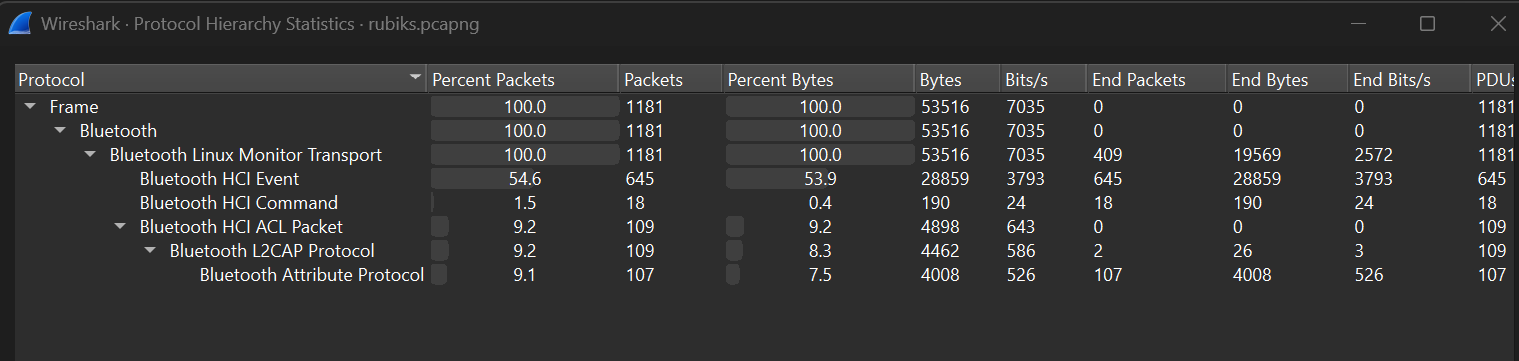
In Wireshark, a frame is one numbered item in the capture’s packet list.
The HCLs are just filler for this challenge, playing the role of initialization. What we should focus on is the ATT frames, where the real data hidden. Once the computer is connected to the cube, ATT lets it read a value, write a value, or receive an update. GATT is the system that organizes those values into services and characteristics; ATT carries the individual messages. To understand more about the relationship about ATT, GATT, and Bluetooth in general, read this article.
The flow of packet capture itself is pretty straightforward to understand:
- Frames 1 - 990: Scan nearby Bluetooth devices
- Frames 991 - 1000: Connect to QiYi smart cube
- Frames 1001 - 1069: Discover
- Frames 1070 - 1074: Hello exchanged
- Frames 1082 - 1169: Turns made by the Rubik. There are 30 incoming ATT notifications containing move updates. Other packets between them are acknowledgements and Bluetooth bookkeeping. These 30 notifications are the rubik’s moves in transmission.
- Frames 1172 - 1181: Cleanup. The computer disables notifications and disconnects.
Filter out the main content with btatt.opcode == 0x1b && btatt.handle == 0x001a.
btattrefers to the Bluetooth Attribute Protocol.btatt.opcode == 0x1bisolates Bluetooth Low Energy (BLE) Handle Value Notification packets.btatt.handle == 0x001afilters for the handle in the packet capture.
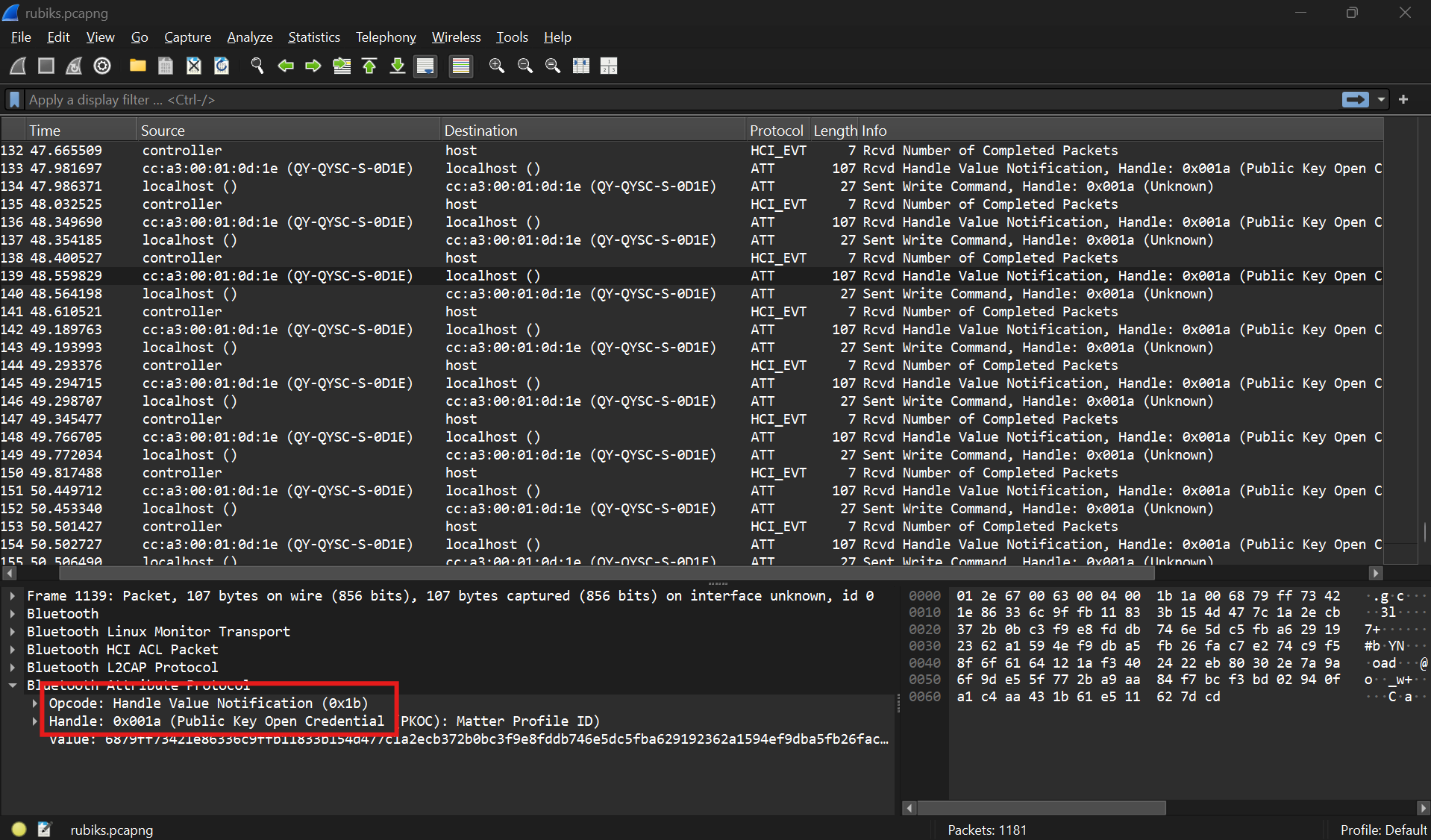
In Bluetooth terms, “received” means received by the computer from the cube. A Handle Value Notification is the cube telling the computer that a characteristic’s value has changed. In this capture, that characteristic is addressed by handle 0x001A. The ATT specification defines notifications as server to client; its packet contains an opcode, a handle, and a value.
In the “Source” and “Destination” of the ATT packets, we can see the conversation from and to a device with the name QY-QYSC-S-0D1E. This is the name of the label QiYi Smart Cube, so we know that this is the data from the rubik cube itself. Extract the message (a.k.a. the value row, or bttat.value) with tshark:
tshark -r rubiks.pcapng \
  -Y 'btatt.opcode == 0x1b && btatt.handle == 0x001a && len(btatt.value) == 96' \
  -T fields -e frame.number -e btatt.value
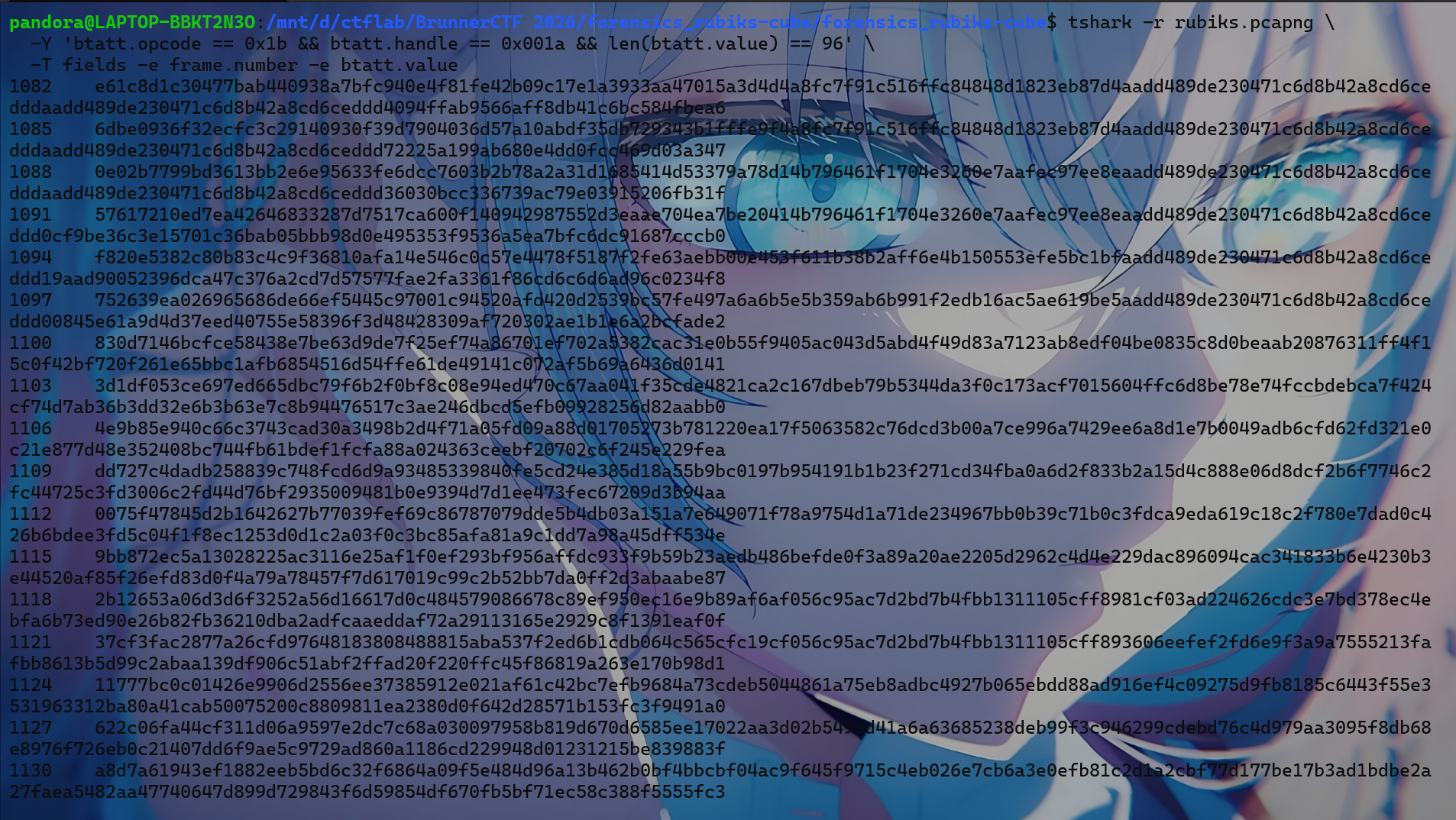
However, we can not read it directly since QiYi encrypts the message. With some researching, we know that all messages sent to/received from the cube are encrypted using AES-128 in ECB mode with the fixed key 57b1f9abcd5ae8a79cb98ce7578c5108.
This is a 128-bit key, there are 32 hexadecimal digits, or 16 bytes. AES works on 16-byte blocks, so a 96-byte
bttat.valuecontains six sub-blocks. ECB means that each block can be decrypted with the key without an extra initialization value (IV).57 b1 f9 ab cd 5a e8 a7 9c b9 8c e7 57 8c 51 08= 16 bytes x 8 bits = 128 bits, hence the name AES-128.
Upon trying to decrypt a message with CyberChef:
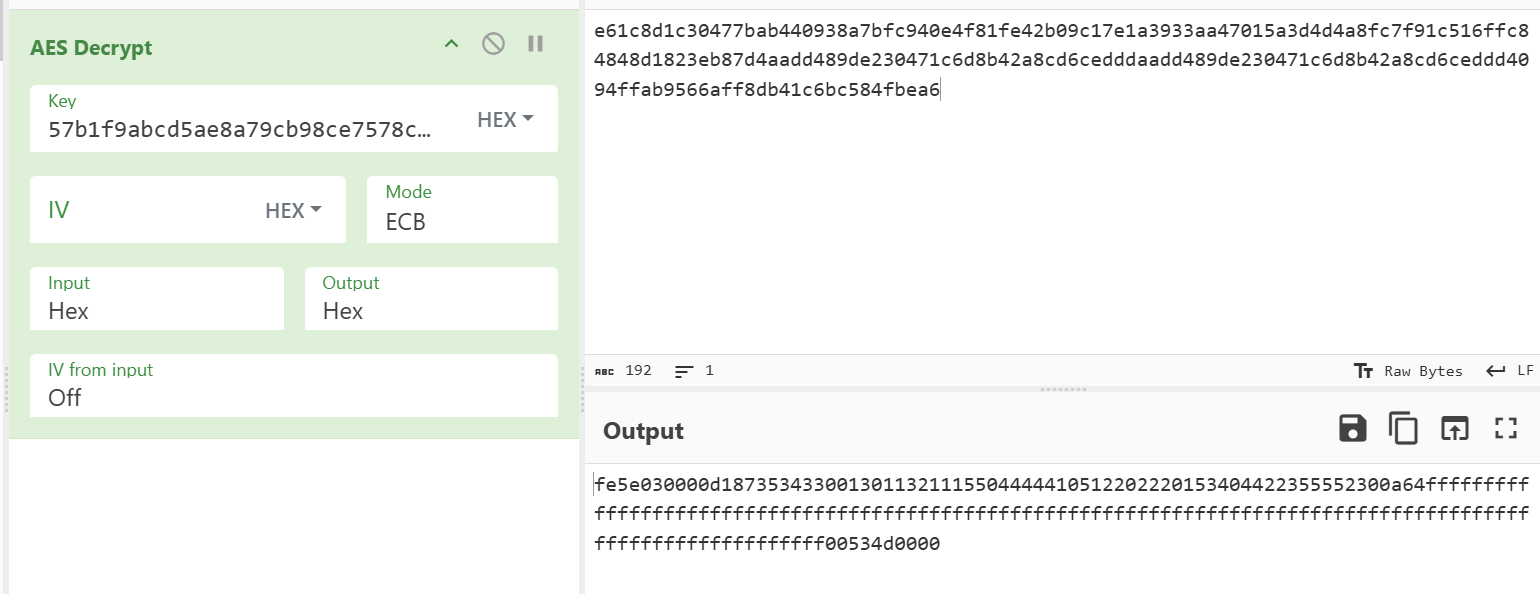
To understand the message of the Cube Update, we need to break down the components of Qiyi’s smartcube protocol: .
[0]:0xFEthe magic byte[1]: Length of the message[2]: Opcode (Operation code - 0x02 = Hello, 0x03 indicates a move)[3:6]: Timestamp[7:34]: Initial cube state[34]: Move byte[35]: Battery level[36:90]: Previous move[91]: Solved or Not solved[92:93]: Checksum
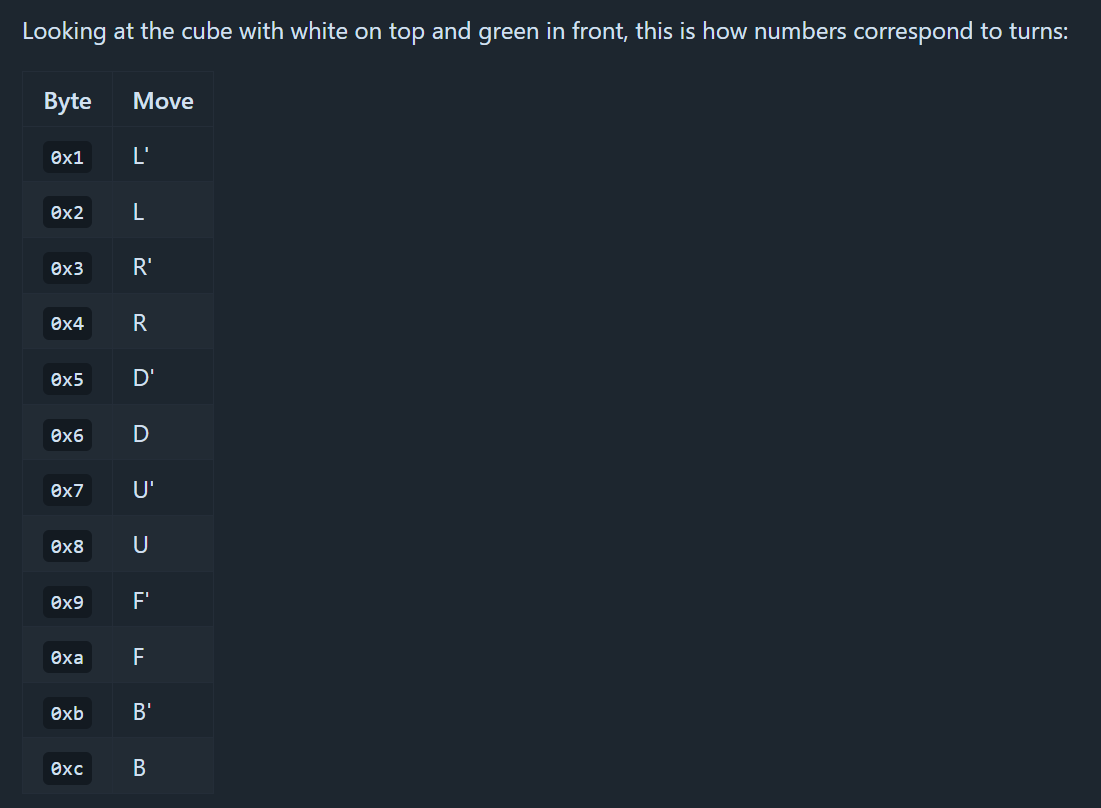
In the example I tried to decode using CyberChef, its byte number 34 is
0x0a, orF.
Script solve
WSL
python3 - "rubiks.pcapng" << 'PY'
import subprocess
import sys

pcap = sys.argv[1]
key = "57b1f9abcd5ae8a79cb98ce7578c5108"
display_filter = (
    "btatt.opcode == 0x1b && "
    "btatt.handle == 0x001a && "
    "len(btatt.value) == 96"
)

result = subprocess.run(
    [
        "tshark", "-r", pcap, "-Y", display_filter,
        "-T", "fields", "-E", "separator=/t", "-E", "occurrence=f",
        "-e", "frame.number", "-e", "btatt.value",
    ],
    capture_output=True, text=True, check=True,
)

for line in result.stdout.splitlines():
    frame, hex_value = line.split("\t", 1)
    ciphertext = bytes.fromhex(hex_value.replace(":", "").replace(" ", ""))

    plaintext = subprocess.run(
        ["openssl", "enc", "-aes-128-ecb", "-d", "-nopad", "-K", key],
        input=ciphertext, capture_output=True, check=True,
    ).stdout

    if plaintext[0] == 0xFE and plaintext[2] == 0x03:
        print(f"Frame {frame}: byte[34] = 0x{plaintext[34]:02x}")
PY
brunner{F2_U2_B'_R2_B'_L_D2_R_F2_U_B2_D_R2_B2_D'_B2_U_F2_U_B}